

The sheer volume of tasks we face in our increasingly fast-paced and demanding world can be overwhelming. From professional responsibilities and personal errands to long-term projects and spontaneous ideas, it’s easy to lose track, miss deadlines, and feel constantly behind. This is precisely where task management apps step in, offering a digital lifeline to bring order to the chaos and empower individuals and teams to achieve more with less stress.
Introduction to Task Management Apps
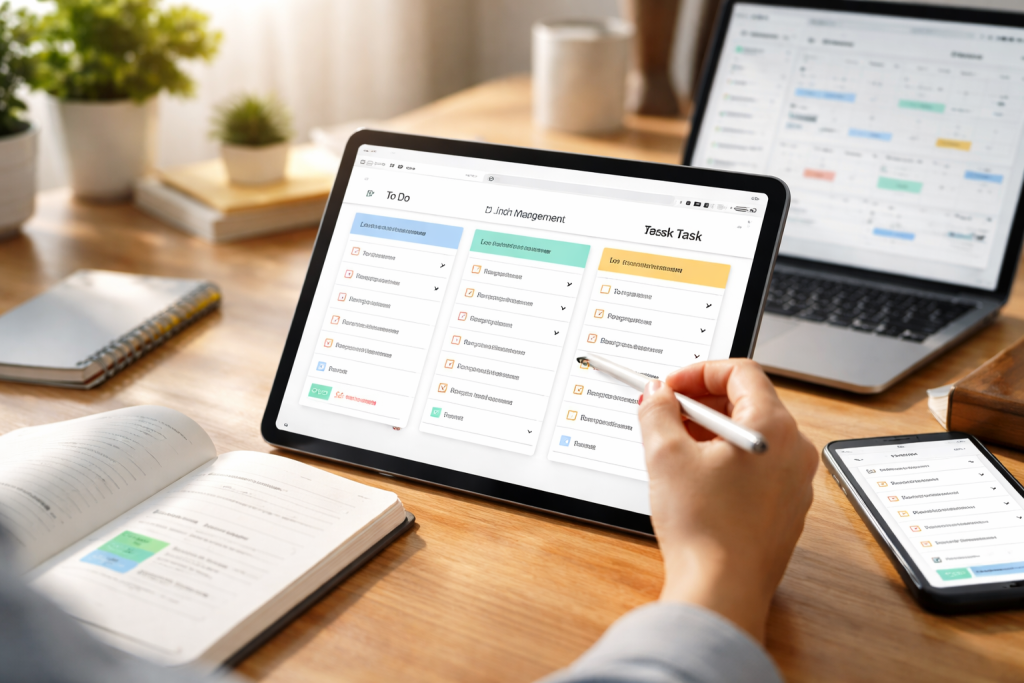
At its core, a task management app is a digital tool designed to help users organize, prioritize, and track their tasks. Far beyond simple to-do lists, these applications provide a structured environment to capture every commitment, break down complex projects into manageable steps, and assign deadlines. They serve as a central hub for all your obligations, ensuring that nothing is overlooked. The evolution of these apps has moved beyond basic functionality, now incorporating sophisticated features like collaboration tools, automated reminders, and visual progress trackers.
How Task Management Apps Can Improve Productivity
The impact of task management apps on productivity is multifaceted and profound.
Contents
- 1 Enhanced Clarity and Focus
- 2 Improved Time Management
- 3 Streamlined Collaboration
- 4 Reduced Stress and Overwhelm
- 5 Identifying Your Core Requirements
- 6 Considering Your Budget
- 7 Assessing Ease of Use and Learning Curve
- 8 Task Creation and Organization
- 9 Prioritization and Deadlines
- 10 Collaboration and Sharing
- 11 Reporting and Analytics
- 12 Integrations with Other Tools
- 13 Break Down Large Tasks
- 14 Be Consistent with Updates
- 15 Master Prioritization Techniques
- 16 Integrate into Your Daily Routine
- 17 Calendar Synchronization
- 18 Email Integration
- 19 File Storage Connectivity
- 20 Communication Platform Integration
- 21 For Individuals and Solopreneurs
- 22 For Small Teams and Startups
- 23 For Large Organizations and Complex Projects
- 24 Todoist
- 25 Asana
- 26 Trello
- 27 Monday.com
- 28 Microsoft To Do
- 29 Automate Recurring Tasks
- 30 Utilize Templates for Repeatable Projects
- 31 Master Custom Views and Filters
- 32 Leverage Keyboard Shortcuts
- 33 Overcoming Initial Resistance
- 34 Preventing “Tool Sprawl”
- 35 Maintaining Data Hygiene
Enhanced Clarity and Focus
By offloading tasks from your brain to a reliable digital platform, you free up cognitive resources otherwise spent remembering what needs to be done. This leads to reduced mental clutter and a clearer focus on the task at hand. When you can see all your responsibilities laid out, prioritized, and categorized, decision-making becomes easier, and procrastination becomes less tempting.
Improved Time Management
Task management apps are instrumental in effective time management. They allow you to assign due dates, set reminders, and break down larger projects into smaller, time-boxed tasks. This granular approach helps in scheduling your day more efficiently, dedicating appropriate time to each item, and avoiding the dreaded “urgent but not important” trap.
Streamlined Collaboration
For teams, task management apps transform the way work gets done. They provide a shared workspace where colleagues can assign tasks, track progress, communicate about specific items, and offer feedback. This transparency reduces miscommunication, eliminates duplicate efforts, and ensures everyone is on the same page, leading to a more cohesive and productive workflow.
Reduced Stress and Overwhelm
Lack of control and clarity often leads to feelings of overwhelm. Task management apps offer a comprehensive overview of your commitments and the necessary tools to effectively manage them. Marking tasks as complete provides a sense of accomplishment and visible progress, significantly reducing stress and fostering a more positive work environment.
Choosing the Right Task Management App for Your Needs
With an abundance of options available, selecting the ideal task management app can seem daunting. The “best” app is highly subjective, depending heavily on individual preferences, work style, and the specific demands of your projects or team.
Identifying Your Core Requirements
Before diving into comparisons, take stock of what you truly need. Are you an individual seeking a simple, intuitive to-do list? Is your team looking for robust project management features with Kanban boards and Gantt charts? Do you primarily work on a specific operating system, or do you need cross-platform accessibility? Answering these questions will narrow down your choices significantly.
Considering Your Budget
Task management apps range from free basic versions to premium subscriptions with advanced features. While free options are excellent for personal use or small teams with limited needs, larger organizations or those requiring sophisticated integrations might find the investment in a paid plan worthwhile.
Assessing Ease of Use and Learning Curve
A powerful app is useless if it’s too complicated to navigate. Look for an intuitive interface and a reasonable learning curve. Ideally, you should be able to get started with the essential features quickly, gradually exploring more advanced functionalities as you become comfortable.
Features to Look for in Task Management Apps
While the specific feature set will vary, several core capabilities are highly desirable in any task management app.
Task Creation and Organization
The ability to easily create tasks, add details, attach files, and organize them into projects, categories, or tags is fundamental. Look for flexible organization options that suit your preferred method of categorization.
Prioritization and Deadlines
Robust prioritization features, such as setting priority levels (high, medium, low), marking tasks as urgent, and assigning clear due dates, are crucial for managing your workload effectively. Reminders are also a must-have to prevent missed deadlines.
Collaboration and Sharing
For team users, features like task assignment, commenting, and shared views are non-negotiable. Real-time updates and notifications ensure everyone stays informed about progress and changes.
Reporting and Analytics
Advanced users and teams can benefit from features that provide insights into progress, task completion rates, and individual or team workloads. This data can inform future planning and identify bottlenecks.
Integrations with Other Tools
Seamless integration with your existing workflow is a significant advantage. Look for apps that connect with calendar applications, email clients, file storage services, and communication platforms like Slack or Microsoft Teams. This reduces context switching and streamlines your overall digital environment.
Tips for Effectively Using Task Management Apps
Simply downloading an app is not enough; consistent and strategic use is key to unlocking its full potential.
Break Down Large Tasks
Overwhelm often stems from monolithic tasks. Break down any large project into smaller, actionable steps. This makes the task seem less daunting and allows for incremental progress.
Be Consistent with Updates
Regularly update the status of your tasks. Mark them as complete, move them to different stages, or adjust priorities. An outdated task list is as unhelpful as no task list at all.
Master Prioritization Techniques
Learn and apply prioritization methods like the Eisenhower Matrix (urgent/important) or the MoSCoW method (Must have, Should have, Could have, Won’t have) within your chosen app. This ensures you’re always working on what matters most.
Integrate into Your Daily Routine
Make checking and updating your task management app a habitual part of your day, perhaps at the beginning, during breaks, and before signing off. Consistency builds a reliable system.
Integrating Task Management Apps with Other Tools
The true power of modern task management lies in its ability to connect with your broader digital ecosystem. These integrations create a seamless flow of information, eliminating manual data entry and reducing friction.
Calendar Synchronization
Connecting your task management app with your calendar ensures that deadlines are automatically reflected in your schedule, helping you visualize your time commitments alongside your tasks. This prevents overbooking and provides a holistic view of your day.
Email Integration
Many apps allow you to turn emails directly into tasks, reducing the chances of requests getting lost in your inbox. You can often assign due dates and store relevant email threads alongside the task itself.
File Storage Connectivity
Linking with cloud storage services like Google Drive, Dropbox, or OneDrive means you can attach relevant documents, images, or assets directly to your tasks, ensuring all necessary information is readily accessible.
Communication Platform Integration
Integrations with Slack, Microsoft Teams, or other communication tools allow for task-related discussions to happen in context, notifications about task updates, and even the creation of tasks directly from conversations.
Best Task Management Apps for Different Types of Users
While a comprehensive comparison follows, it’s helpful to categorize apps by their common user bases.
For Individuals and Solopreneurs
Users focused on personal productivity often seek simplicity and intuitive design. Apps like Todoist, Any.do, and Microsoft To Do are strong contenders here due to their clean interfaces and robust individual features.
For Small Teams and Startups
Teams needing shared task lists, basic project tracking, and communication features might opt for platforms like Trello, Asana (for smaller teams), or Monday.com (for more visual workflows).
For Large Organizations and Complex Projects
Enterprise-level solutions like Jira, Smartsheet, or comprehensive versions of Asana and Monday.com offer advanced project management functionalities, detailed reporting, and extensive customization for complex workflows.
Comparing the Top Task Management Apps on the Market
Let’s look at some of the leading contenders and their strengths.
Todoist
Known for its simplicity, natural language input, and powerful recurring task features. Excellent for individual productivity and small teams who value a clean, distraction-free interface. Offers strong integrations.
Asana
A more robust project management tool, ideal for teams collaborating on a variety of projects. Provides multiple views (list, board, calendar), task assignment, and extensive reporting. Can scale from small to large teams.
Trello
Famous for its Kanban board interface (boards, lists, cards), making it highly visual and intuitive for tracking project progress. Great for agile teams and those who prefer a drag-and-drop workflow.
Monday.com
A versatile work operating system that goes beyond just task management. Offers highly customizable dashboards, Gantt charts, and a wide array of templates, making it suitable for diverse team needs but with a steeper learning curve.
Microsoft To Do
A free, straightforward task management app from Microsoft, offering seamless integration with the Microsoft ecosystem (Outlook, Cortana). Perfect for basic personal to-do lists and simple shared lists.
Advanced Techniques for Maximizing Task Management App Efficiency
Once comfortable with the basics, explore deeper functionalities to supercharge your productivity.
Automate Recurring Tasks
Identify tasks that repeat regularly and configure them to automatically reappear. This saves time and ensures consistency, whether it’s a weekly report or a monthly bill payment.
Utilize Templates for Repeatable Projects
For projects that follow a similar structure, create project templates within your app. This allows you to quickly spin up new projects with predefined tasks, subtasks, and assigned team members.
Master Custom Views and Filters
Many apps allow you to create custom views based on criteria like due date, priority, assignee, or tags. Configure these to quickly see exactly what you need to focus on at any given moment.
Leverage Keyboard Shortcuts
Becoming proficient with keyboard shortcuts can drastically speed up your interaction with the app, allowing for quick task creation, navigation, and status updates without reaching for the mouse.
Overcoming Common Challenges in Task Management App Implementation
Even with the best tools, roadblocks can appear. Anticipating and addressing them is key.
Overcoming Initial Resistance
Introducing a new tool, especially in a team setting, can be met with resistance. Emphasize the long-term benefits in terms of reduced stress and increased clarity, and provide thorough training and support. Start with a pilot group to iron out kinks.
Preventing “Tool Sprawl”
Avoid using too many different task management apps for various purposes. Strive for a unified system where possible, or clearly delineate which app serves which specific function to prevent confusion.
Maintaining Data Hygiene
Just like any system, a task management app needs care. Regularly archive completed projects, delete irrelevant tasks, and review your categories and tags to keep the system clean and efficient. An overloaded or unorganized app can become a source of frustration rather than a solution.
Embracing a task management app is more than just adopting new software; it’s about cultivating a more organized, efficient, and less stressed approach to your work and life. By choosing the right tool and leveraging its capabilities effectively, you can transform the way you tackle your tasks and unlock unprecedented levels of productivity and peace of mind.

About the Author
Muqadas Ali is the founder of SmartLearningWay with over 5 years of experience in blogging and digital learning. His mission is to help students and professionals improve productivity using simple methods and modern tools.


