Embarking on the journey of graphic design can feel like stepping into a vibrant, visual language. For those new to the field, recognizing its basic building blocks is crucial for success. This comprehensive guide will demystify the world of graphic design, providing a clear roadmap from foundational concepts to practical application, equipping you with the knowledge and tools to begin your creative adventure.
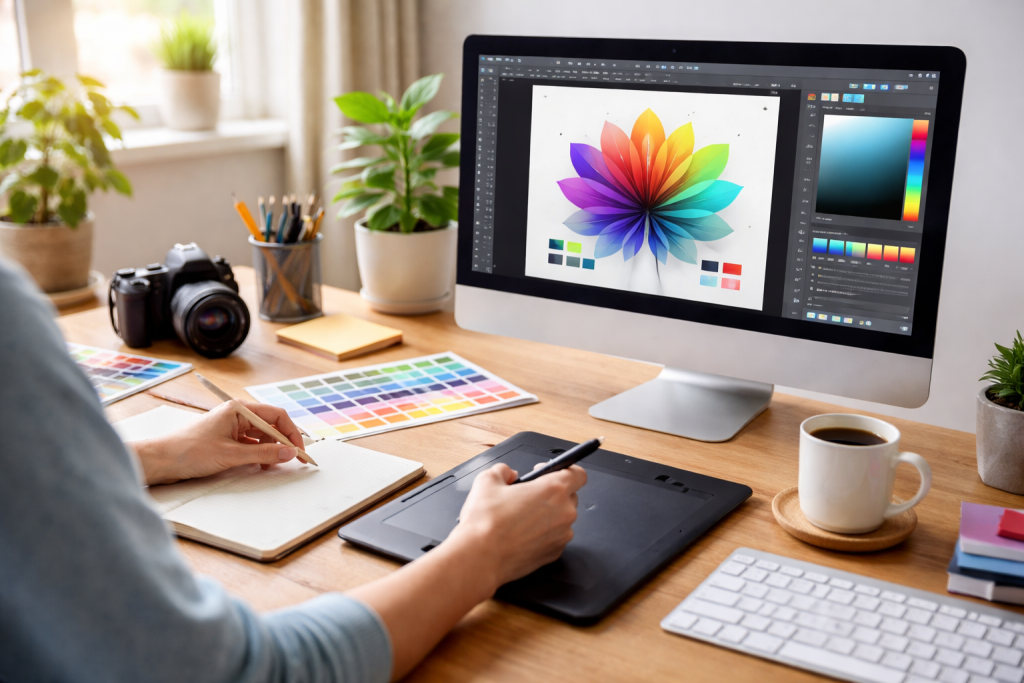
At its core, graphic design is the art and practice of planning and projecting ideas and experiences with visual and textual content. It’s about communicating messages effectively through visual elements like images, typography, and color. Whether you’re designing a logo, a website, a brochure, or a social media post, the goal remains the same: to capture attention, convey information clearly, and evoke a desired emotion or response.
Contents
- 1 What is Graphic Design?
- 2 The Role of a Graphic Designer
- 3 Key Elements of Graphic Design
- 4 Balance
- 5 Contrast
- 6 Emphasis
- 7 Movement
- 8 Repetition
- 9 Proportion
- 10 Hierarchy
- 11 Unity and Harmony
- 12 The Color Wheel
- 13 Color Harmonies
- 14 The Psychology of Color
- 15 Understanding Font Classifications
- 16 Key Typographic Considerations
- 17 The Rule of Thirds
- 18 Visual Hierarchy and Flow
- 19 Grids and Alignment
- 20 White Space (Negative Space)
- 21 Balance and Symmetry
- 22 Color Modes: CMYK vs. RGB
- 23 Resolution and File Formats
- 24 Interactivity and Animation
- 25 File Size and Loading Times
- 26 Typography in Different Mediums
- 27 Define Your Brand’s Personality and Values
- 28 Develop a Memorable Logo
- 29 Establish a Consistent Color Palette
- 30 Choose Brand Typography
- 31 Create a Style Guide
- 32 Online Learning Platforms
- 33 Inspiring Communities and Portfolios
- 34 Practice, Practice, Practice
What is Graphic Design?
Graphic design is a multifaceted discipline that intersects art, technology, and communication. It’s not simply about making things look pretty; it’s about strategic problem-solving. Designers use their skills to solve communication challenges for clients, organizations, or even themselves. This involves understanding the target audience, the purpose of the design, and the most effective ways to achieve the desired outcome.
The Role of a Graphic Designer
A graphic designer is a visual storyteller and a problem solver. They translate abstract concepts into tangible visual forms. This can involve everything from brainstorming ideas with clients to meticulously refining pixel-perfect details. The role demands creativity, technical proficiency, an understanding of human psychology, and a keen eye for detail. Designers often work collaboratively with others, including marketers, web developers, and printers, to bring their visions to life.
Key Elements of Graphic Design
Several core elements form the foundation of any successful graphic design. These are the visual building blocks that designers manipulate to create meaningful and impactful work.
Line
Lines are fundamental in design. They can be straight, curved, thick, thin, dashed, or solid. Lines can be used to define shapes, create outlines, guide the viewer’s eye, or even express emotions. The direction and weight of a line can significantly influence the overall feel of a design.
Shape
Shapes are two-dimensional areas that define distinct forms. They can be geometric (circles, squares, triangles) or organic (freeform, irregular). Shapes are essential for creating structure, visual interest, and conveying meaning. Logos often rely heavily on memorable shapes.
Form
“Form” refers to three-dimensional objects or the illusion of three dimensions. While graphic design is primarily two-dimensional, designers can create the perception of form through techniques like shading, perspective, and layering.
Color
Color is a powerful tool in graphic design, capable of evoking emotions, creating mood, and attracting attention. Understanding color theory is crucial for making informed color choices that align with the message and brand.
Texture
Texture refers to the perceived surface quality of a design. This can be literal, as in the use of photographic textures, or implied, through the use of patterns and visual treatments. Texture adds depth and tactile interest to a design.
Space
Space, also known as negative space or white space, is the area around and between elements in a design. It’s not just empty space; it’s a crucial element that gives other elements room to breathe, improves readability, and creates visual hierarchy.
Typography
Typography is the art and technique of arranging type. It involves selecting fonts, setting type size, leading (spacing between lines), kerning (spacing between letters), and tracking (overall letter spacing) to ensure readability and aesthetic appeal.
Understanding the fundamental principles of design is as important as mastering the individual elements. These principles guide how designers arrange and organize visual elements to create harmonious, effective, and aesthetically pleasing compositions.
Balance
Balance refers to the visual weight of elements in a design. It can be symmetrical, where elements are mirrored on a central axis, or asymmetrical, where elements are balanced based on their visual weight and placement. Achieving balance creates stability and harmony.
Contrast
Contrast is the arrangement of opposite elements in a piece of artwork. This can include light versus dark colors, rough versus smooth textures, large versus small shapes, or thick versus thin lines. Contrast helps to create visual interest, emphasize important elements, and guide the viewer’s eye.
Emphasis
Emphasis, also known as dominance, is about making certain elements stand out from others. This is achieved by using contrast, size, color, or placement to draw the viewer’s attention to a focal point. The most important message or element should be emphasized.
Movement
Movement is the path the viewer’s eye takes through a design. Designers use techniques like leading lines, color gradients, and the arrangement of elements to guide this visual journey, ensuring the viewer sees the most important information in the intended order.
Repetition
Repetition involves using the same or similar visual elements throughout a design. This can include repeating colors, shapes, typography, or graphic elements. Repetition creates unity, consistency, and a sense of rhythm.
Proportion
Proportion refers to the relative size and scale of elements within a design. It dictates how elements relate to each other and to the overall composition. Proper proportion contributes to visual harmony and a sense of order.
Hierarchy
Hierarchy is the arrangement of elements in order of importance. This is achieved through variations in size, color, placement, and font weight, allowing the viewer to quickly understand the most crucial information first.
Unity and Harmony
Unity and harmony are about creating a sense of wholeness and agreement within a design. All the elements should work together cohesively, creating a pleasing and unified visual experience.
Color is one of the most potent tools in a graphic designer’s arsenal. It has the power to evoke emotions, convey meaning, attract attention, and even influence purchasing decisions. A solid understanding of color theory is therefore indispensable.
The Color Wheel
The color wheel is a foundational tool that organizes colors based on their relationships. It typically includes primary colors (red, yellow, and blue), secondary colors (green, orange, and violet), and tertiary colors (mixtures of primary and secondary colors).
Hue, Saturation, and Brightness
Understanding these three key attributes of color is crucial:
Hue
Hue refers to the pure color itself, such as red, green, or blue. It’s the basic attribute we commonly refer to when naming a color.
Saturation
Saturation, also known as intensity, refers to the purity or strength of a color. A highly saturated color is vivid and intense, while a desaturated color appears more muted or grayish.
Brightness
Brightness, or value, refers to how light or dark a color is. A high brightness means a color is closer to white, while a low brightness means it’s closer to black.
Color Harmonies
Certain combinations of colors, known as color harmonies, are perceived as pleasing and balanced. Familiarizing yourself with these can greatly assist in creating harmonious palettes:
Complementary Colors
Complementary colors are opposite each other on the color wheel (e.g., red and green, blue and orange). They create strong contrast and visual impact when placed next to each other.
Analogous Colors
Analogous colors are located next to each other on the color wheel (e.g., blue, blue-green, and green). They tend to create a harmonious and calming effect.
Triadic Colors
Triadic colors are evenly spaced around the color wheel, forming a triangle (e.g., red, yellow, and blue). They offer vibrant contrast while maintaining harmony.
Monochromatic Colors
A monochromatic scheme uses variations of a single hue, employing different shades, tints, and tones. This creates a sophisticated and cohesive look.
The Psychology of Color
Different colors evoke different emotions and associations. While these can be culturally influenced, there are common perceptions:
- Red: Passion, energy, danger, excitement.
- Blue: Calmness, trust, stability, professionalism.
- Yellow: Happiness, optimism, caution.
- Green: Nature, growth, health, finance.
- Orange: Enthusiasm, creativity, warmth.
- Purple: Royalty, luxury, creativity.
- Black: Sophistication, formality, power, death.
- White: Purity, simplicity, cleanliness, innocence.
Typography is far more than just selecting pretty letters; it’s about communicating effectively through the chosen typeface. The right font can enhance readability, convey personality, and reinforce a brand’s message.
Understanding Font Classifications
Fonts are often grouped into categories based on their visual characteristics:
Serif Fonts
Serif fonts have small decorative strokes (serifs) at the ends of letterforms. They are often associated with tradition, authority, and readability for long blocks of text (e.g., Times New Roman, Georgia).
Sans-Serif Fonts
Sans-serif fonts lack serifs, resulting in a cleaner, more modern appearance. They are generally excellent for headlines, digital interfaces, and shorter blocks of text (e.g., Arial, Helvetica, and Open Sans).
Script Fonts
Script fonts mimic handwriting or calligraphy, offering an elegant or casual feel depending on their style. They are best used sparingly for decorative purposes or short phrases.
Display Fonts
Display fonts are highly stylized and designed for impact. They are typically used for headlines, logos, and short bursts of text where a strong visual presence is desired.
Key Typographic Considerations
When choosing and using fonts, several factors are paramount for effective design:
Readability and Legibility
Readability refers to how easily the reader can process a large amount of text. Legibility refers to how easily individual characters can be distinguished. Both are critical for conveying your message without causing eye strain.
Font Pairing
Combining different fonts can add visual interest and hierarchy to a design. Aim for fonts that have contrasting yet complementary characteristics. A common approach is to pair a serif with a sans serif font or a bold display font with a more understated body text font.
Hierarchy and Scale
Using different font sizes, weights, and styles is essential for establishing visual hierarchy. Headlines should be larger and bolder than subheadings, which should in turn be more prominent than body text.
Leading, Kerning, and Tracking
These terms refer to the spacing between typographic elements:
- Leading: The vertical space between lines of text.
- Kerning: The space between specific pairs of letters that might otherwise appear too close or too far apart (e.g., “VA”).
- Tracking: The overall spacing of a block of text.
Proper adjustment of these can significantly improve readability and aesthetic appeal.
Layout and composition are the art of arranging visual elements within a given space. A well-composed layout guides the viewer’s eye, creates a sense of order, and effectively communicates the intended message.
The Rule of Thirds
This classic compositional guideline suggests dividing your frame into nine equal sections by two horizontal and two vertical lines. Placing key elements along these lines or at their intersections often creates a more dynamic and visually appealing composition than simply centering everything.
Visual Hierarchy and Flow
As mentioned in the principles of design, establishing a clear visual hierarchy is crucial. Your layout should naturally guide the viewer through the information from most important to least important. This can be achieved through the size, color, contrast, and proximity of elements. The flow should feel logical and effortless.
Grids and Alignment
Grids provide a framework for organizing elements on a page. They ensure alignment, consistency, and a sense of order. Even simple grids can significantly improve the professionalism and readability of your design. Consistent alignment of text and images creates a clean and structured appearance.
White Space (Negative Space)
The strategic use of white space is not about leaving areas blank; it’s about giving elements room to breathe. Ample white space can improve readability, make designs feel more sophisticated and less cluttered, and help to highlight important content.
Balance and Symmetry
Achieving visual balance, whether symmetrical or asymmetrical, is key to a stable and pleasing composition. A well-balanced design feels resolved and complete.
While the core principles of graphic design remain the same, the medium for which you are designing significantly impacts your choices and considerations. Print and digital formats have distinct characteristics that require tailored approaches.
Color Modes: CMYK vs. RGB
This is one of the most fundamental differences:
- CMYK (Cyan, Magenta, Yellow, Black): This is the color model used for print. It’s subtractive, meaning colors are created by subtracting light. Colors will often appear slightly duller on screen than in print.
- RGB (Red, Green, Blue): This is the color model used for digital displays (screens). It’s additive, meaning colors are created by adding light. RGB colors are generally more vibrant and saturated. Always design in the correct color mode for your intended output.
Resolution and File Formats
- Print: Requires high resolution (typically 300 DPI – dots per inch) to ensure crisp, clear output. Common file formats include PDF, TIFF, and EPS.
- Digital: Can function with lower resolutions (often 72 DPI) as screens have a fixed pixel density. Common file formats include JPG, PNG, and GIF. PNG is often preferred for its support of transparency.
Interactivity and Animation
- Print: Is static. Once printed, it cannot be changed.
- Digital: Allows for interactivity (buttons, links, and forms) and animation, which can significantly enhance user experience and engagement.
File Size and Loading Times
- Print: File size is less of a direct concern for the end-user, though it can impact printing and shipping costs.
- Digital: File size directly impacts loading times for websites and apps. Optimizing images and assets is crucial for a smooth user experience.
Typography in Different Mediums
While font choices can be similar, the way they render can differ. Web fonts need to be optimized for screen display, and subtle spacing adjustments might be necessary to compensate for screen rendering.
A strong visual identity is more than just a logo; it’s the entire visual language of a brand that communicates its personality, values, and mission. Consistency is paramount.
Define Your Brand’s Personality and Values
Before you even think about visuals, understand what your brand stands for. Is it playful and energetic, or sophisticated and trustworthy? This understanding will inform all your design decisions.
Develop a Memorable Logo
Your logo is often the first visual impression a person has of your brand. It should be simple, versatile, scalable, and memorable. It should also be relevant to the brand it represents.
Establish a Consistent Color Palette
Select a core set of colors that will be used across all your branding materials. These colors should reflect your brand’s personality and be easily recognizable.
Choose Brand Typography
Select a few key fonts that will be used consistently for headlines, body text, and other textual elements. These fonts should align with your brand’s tone and personality.
Create a Style Guide
A brand style guide is a vital document that outlines all the rules and guidelines for your visual identity. It includes logo usage, color palettes, typography, imagery style, and more. This ensures consistency across all applications and by anyone working with your brand.
The world of graphic design is vast and ever-evolving. For beginners, it can feel overwhelming, but there are numerous resources and pathways to explore.
Online Learning Platforms
Many excellent online platforms offer courses and tutorials for aspiring graphic designers:
Adobe Photoshop and Illustrator Essentials
Mastering industry-standard software is crucial. Platforms like Skillshare, Udemy, LinkedIn Learning, and even YouTube offer extensive tutorials on Photoshop (for raster graphics) and Illustrator (for vector graphics).
General Design Principles
Numerous websites and blogs delve into the fundamentals of design, offering articles, case studies, and inspiration. Websites like Smashing Magazine, Creative Boom, and AIGA (the professional association for design) are invaluable.
Inspiring Communities and Portfolios
Surrounding yourself with other designers and observing great work is essential:
Online Portfolio Sites
Platforms like Behance and Dribbble showcase the work of designers worldwide. Browsing these sites can provide immense inspiration and expose you to current design trends and techniques.
Design Podcasts and Blogs
Following design podcasts and blogs can keep you updated on industry news, interviews with designers, and discussions on design theory and practice.
Practice, Practice, Practice
The most effective way to learn graphic design is by doing.
Personal Projects
Start by creating designs for yourself. Design a personal logo, create mockups for imaginary brands, or redesign existing materials to practice your skills.
Volunteer for Non-Profits
Many non-profit organizations need design help. Volunteering your services is an excellent way to gain real-world experience and build your portfolio while contributing to a good cause.
Seek Feedback
Don’t be afraid to share your work and ask for constructive criticism. Feedback from peers, mentors, or online communities can help you identify areas for improvement and accelerate your learning.
The journey into graphic design is an exciting one, filled with continuous learning and creative exploration. By understanding the basics outlined here, practicing consistently, and embracing the available resources, beginners can confidently begin to shape their visual communication skills and embark on a rewarding creative path.

About the Author
Muqadas Ali is the founder of SmartLearningWay with over 5 years of experience in blogging and digital learning. His mission is to help students and professionals improve productivity using simple methods and modern tools.