

The professional landscape demands precision, clarity, and efficiency in every interaction. At the heart of many professional tasks lies the document—from contracts and reports to presentations and proposals. The ability to create, refine, and manage these documents effectively is not merely a skill; it is a necessity. This is where document editing apps come in handy, transforming raw information into polished, impactful deliverables. For professionals at all levels, understanding the power and nuance of these applications can significantly elevate their output and streamline their workflows.
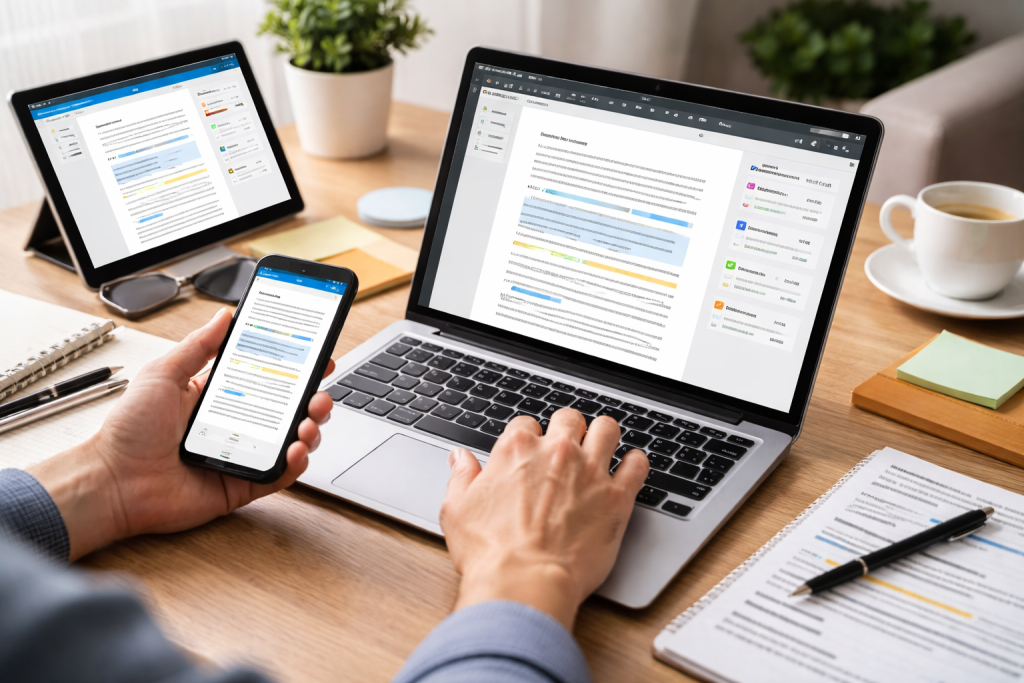
In today’s fast-paced professional environment, time is a valuable commodity, and errors can have significant consequences. Document editing apps are no longer simple word processors; they are sophisticated platforms designed to enhance productivity, ensure accuracy, and facilitate seamless collaboration. They empower professionals to communicate ideas with clarity, present data with integrity, and maintain a professional image throughout all their written communications. Quick revisions, tracking of changes, and consistent formatting can make a significant difference between a successful project and a missed opportunity. Beyond mere text manipulation, these tools offer features that support the entire document lifecycle, from initial drafting to final approval and archiving.
Contents
- 1 The Impact on Professional Communication
- 2 Enhancing Productivity and Efficiency
- 3 Ensuring Accuracy and Credibility
- 4 Microsoft Word: The Industry Standard
- 5 Google Docs: The Cloud-Native Collaboration Powerhouse
- 6 Apple Pages: For the Apple Ecosystem Enthusiast
- 7 Adobe Acrobat Pro DC: Beyond Simple Editing
- 8 Formatting and Design Capabilities
- 9 Collaboration and Sharing Options
- 10 Integration with Other Tools
- 11 Template Libraries and Pre-designed Elements
- 12 Spell Check, Grammar Check, and Thesaurus
- 13 Offline Accessibility and Cloud Syncing
- 14 Assess Your Primary Use Cases
- 15 Evaluate Your Budget and Licensing Model
- 16 Consider Your Operating System and Device Compatibility
- 17 Prioritize Collaboration Needs
- 18 Test Drive Before Committing
- 19 Master Keyboard Shortcuts
- 20 Utilize Templates and Styles
- 21 Leverage the Power of Autocorrect and Auto-expansion
- 22 Embrace Revision Tracking and Commenting
- 23 Explore Advanced Features
- 24 Cloud Storage Synchronization
- 25 Project Management Software Integration
- 26 Email and Communication Platforms
- 27 CRM and Database Tools
- 28 Data Encryption
- 29 Access Controls and Permissions
- 30 Regular Security Audits and Compliance
- 31 Cloud Security Measures
- 32 Real-Time Co-Editing
- 33 Commenting and Annotation Tools
- 34 Version History and Rollback Capabilities
- 35 User Permissions and Role Management
- 36 Custom Themes and Branding
- 37 User Interface Personalization
- 38 Macro and Scripting Capabilities
- 39 Font Management and Custom Fonts
- 40 AI-Powered Assistance and Automation
- 41 Enhanced Collaboration and Virtual Workspaces
- 42 Advanced Data Visualization and Interactivity
- 43 Augmented Reality and Extended Reality Integration
- 44 Blockchain and Enhanced Security
The Impact on Professional Communication
Effective communication is the bedrock of any successful professional endeavor. Document editing apps provide the tools to craft messages that are not only grammatically sound but also persuasive and easy to understand. Whether you’re composing an email, a formal document, or a marketing brochure, having a robust editing tool ensures that your message is conveyed accurately and professionally. Think about the subtle nuances of language, the impact of formatting on readability, and the importance of error-free content. These are all areas where a superior document editing app shines, helping professionals to present themselves and their work in the best possible light.
Enhancing Productivity and Efficiency
Professionals are constantly juggling multiple tasks and deadlines. Document editing apps are designed to accelerate these processes. Features like quick formatting options, extensive template libraries, and intelligent autocorrect help reduce the time spent on repetitive tasks. The ability to easily insert media, create tables, and manage complex layouts saves valuable minutes, which accumulate into significant time savings over the course of a day or week. This boost in efficiency allows professionals to dedicate more time to strategic thinking, client interactions, and other high-value activities.
Ensuring Accuracy and Credibility
Mistakes in professional documents can undermine credibility and, in some cases, lead to significant financial or legal repercussions. Document editing apps offer advanced features for proofreading, grammar checking, and style adherence, helping to eliminate errors before they reach the intended audience. For professionals in fields like law, finance, or academia, where precision is paramount, these tools are non-negotiable for maintaining the integrity of their work and building trust with clients and stakeholders.
The market for document editing apps is vast, offering a range of solutions from simple text editors to comprehensive office suites. Choosing the right one depends on individual needs, team dynamics, and budget. Here, we explore some of the leading contenders, highlighting their strengths and ideal use cases.
Microsoft Word: The Industry Standard
As part of the Microsoft 365 suite, Word remains a dominant force in the professional world. Its comprehensive feature set, extensive formatting capabilities, and broad compatibility make it a go-to choice for many.
Strengths of Microsoft Word
Word’s power lies in its depth. It offers unparalleled control over document formatting, from intricate layout adjustments to advanced typography. Its vast ecosystem of add-ins and integrations further extends its functionality, catering to specialized professional needs. The robust Track Changes feature is particularly invaluable for collaborative environments, allowing multiple users to contribute and review edits seamlessly.
Ideal Use Cases for Microsoft Word
Word is an excellent choice for professionals who require extensive control over document design, complex layout requirements, or who work within organizations heavily invested in the Microsoft ecosystem. It excels in generating reports, legal documents, manuscripts, and any document requiring precise formatting.
Google Docs: The Cloud-Native Collaboration Powerhouse
Google Docs, a cornerstone of Google Workspace, has revolutionized document editing through its emphasis on real-time collaboration and cloud-based accessibility.
Strengths of Google Docs
Google Docs’ primary advantage is its effortless real-time collaboration. Multiple users can edit a document simultaneously, with changes appearing instantly for everyone. Its intuitive interface and seamless integration with other Google services make it ideal for teams. Version history is robust, allowing simple rollback to previous states.
Ideal Use Cases for Google Docs
Google Docs is perfectly suited for teams and individuals who prioritize collaboration, remote work, and easy sharing. It’s excellent for brainstorming, drafting proposals, creating shared project documents, and any scenario where multiple people need to contribute to a document concurrently.
Apple Pages: For the Apple Ecosystem Enthusiast
Within the Apple ecosystem, Pages stands out as a user-friendly yet powerful document editor, offering a clean interface and excellent integration with other Apple devices and services.
Strengths of Apple Pages
Pages boasts a visually appealing and intuitive interface, making it easy to create professional-looking documents without a steep learning curve. Its design features are particularly strong, allowing for the creation of visually rich brochures, newsletters, and presentations. Integration with iCloud ensures seamless syncing across Apple devices.
Ideal Use Cases for Apple Pages
Pages is a strong contender for macOS and iOS users who value a streamlined creative process and high-quality visual output. It’s ideal for smaller businesses, freelancers, and individuals who produce marketing materials, reports, or any document where aesthetic appeal is important.
Adobe Acrobat Pro DC: Beyond Simple Editing
While often associated with PDFs, Adobe Acrobat Pro DC offers robust editing capabilities for PDF documents, making it indispensable for professionals working with this ubiquitous format.
Strengths of Adobe Acrobat Pro DC
Acrobat Pro DC allows for comprehensive editing of PDF files, including text, images, and links. It also excels in form creation, digital signatures, and document security. Its ability to convert various file formats to PDF and vice versa adds significant value.
Ideal Use Cases for Adobe Acrobat Pro DC
This tool is essential for legal professionals, financial institutions, educational organizations, and any industry that relies heavily on secure and standardized PDF documents for contracts, applications, and official records.
Selecting the right document editing app goes beyond just its name recognition. Several underlying features can significantly impact your professional workflow. Understanding what to prioritize will help you make an informed decision.
Formatting and Design Capabilities
The ability to control the visual presentation of your document is paramount. Look for intuitive tools for font selection, paragraph styling, page layout, and the insertion of images and tables. Advanced features like style sheets and master pages can save considerable time when working with lengthy or complex documents.
Collaboration and Sharing Options
For teams, real-time collaboration is no longer a luxury but a necessity. Features like simultaneous multi-user editing, commenting, change tracking, and granular permission controls are crucial for efficient teamwork. Easy sharing options, whether via links or direct invitations, are also important.
Integration with Other Tools
Your document editing app usually operates with other tools. Seamless integration with cloud storage services (like Dropbox, Google Drive, and OneDrive), email clients, and project management software can create a more cohesive and efficient workflow.
Template Libraries and Pre-designed Elements
Professionals often need to create documents quickly and consistently. A rich library of professional templates for reports, proposals, letters, and presentations can significantly accelerate content creation and ensure brand consistency.
Spell Check, Grammar Check, and Thesaurus
While seemingly basic, robust proofreading tools are essential for professional communication. Advanced grammar checkers that offer stylistic suggestions and a comprehensive thesaurus can elevate the quality of your writing.
Offline Accessibility and Cloud Syncing
The ability to work on documents offline and have changes automatically sync when you reconnect to the internet is invaluable, especially for professionals who travel or have unreliable internet access.
Navigating the diverse landscape of document editing apps can be daunting. Here are some strategic tips to guide your selection process.
Assess Your Primary Use Cases
Consider the types of documents you create most frequently and the specific functionalities you rely on. Are you primarily drafting text-heavy reports, designing visually appealing marketing materials, or collaborating intensely with a team? Your primary needs should drive your choice.
Evaluate Your Budget and Licensing Model
Document editing apps range from free, cloud-based options to expensive, feature-rich desktop software packages. Determine your budget and whether a subscription model or a one-time purchase best suits your financial plan.
Consider Your Operating System and Device Compatibility
Ensure that the app you choose is compatible with your primary operating system (Windows, macOS, or Linux) and your devices (desktop, laptop, tablet, or smartphone). Cross-platform compatibility is a significant advantage for many professionals.
Prioritize Collaboration Needs
If you work as part of a team, effective collaboration features are paramount. Look for apps that offer real-time co-editing, commenting, and clear version history to avoid confusion and streamline joint efforts.
Test Drive Before Committing
Most reputable document editing apps offer free trials or freemium versions. Take advantage of these opportunities to thoroughly test the software with your typical workflows before purchasing or committing to a subscription.
Understanding how to effectively use a powerful tool is crucial for unlocking its full potential. Here’s how to optimize your productivity using document editing applications.
Master Keyboard Shortcuts
Investing time in learning keyboard shortcuts for common actions like saving, copying, pasting, bolding, and italicizing can dramatically speed up your editing process. Many apps offer comprehensive lists of available shortcuts.
Utilize Templates and Styles
Avoid creating a new document each time. Leverage pre-designed templates for common document types and create your own custom styles for headings, body text, and other elements. This ensures consistency and saves significant time.
Leverage the Power of Autocorrect and Auto-expansion
Configure autocorrect for frequently misspelled words and create custom shortcuts for common phrases or sentences using auto-expansion features. This can eliminate tedious typing and reduce errors.
Embrace Revision Tracking and Commenting
When collaborating, or even for solo projects with multiple revisions, use the change tracking features. This allows you to see every modification made, who made it, and when. Use comments to ask questions, provide feedback, or make notes for yourself without altering the main text.
Explore Advanced Features
Dive into the less frequently used but highly effective features of your chosen app. This might include advanced find and replace, mail merge capabilities, table of contents generation, or bookmarking.
A single application rarely confines the modern professional workflow. Seamless integration between your document editor and other essential tools can create a powerful, interconnected ecosystem.
Cloud Storage Synchronization
Connecting your document editor to cloud storage services like Google Drive, Dropbox, or OneDrive ensures that your files are always backed up and accessible from any device. This also facilitates easy file sharing and collaboration.
Project Management Software Integration
Integrating with project management tools like Asana, Trello, or Monday.com can streamline workflows. For example, you might link a project document directly to a task or export report data from your editor to a project update.
Email and Communication Platforms
Many document editors allow you to directly share documents via email or messaging platforms like Slack or Microsoft Teams. This eliminates the need to download and re-upload files, saving time and reducing the risk of version confusion.
CRM and Database Tools
For sales and marketing professionals, integrating document editors with Customer Relationship Management (CRM) systems can allow for the creation of personalized proposals or reports pulled directly from CRM data.
When entrusting your sensitive professional documents to an app, security and privacy are paramount concerns. Understanding the measures taken by your chosen platform is crucial.
Data Encryption
Ensure that the app you use employs robust data encryption, both in transit (when data is being sent over the internet) and at rest (when data is stored on servers). This protects your information from unauthorized access.
Access Controls and Permissions
For collaborative documents, granular access controls are essential. The ability to define who can view, edit, or comment on a document prevents unauthorized modifications and protects sensitive information.
Regular Security Audits and Compliance
Reputable software providers undergo regular security audits to identify and address vulnerabilities. Look for providers that adhere to relevant data privacy regulations (like GDPR or CCPA) and have a clear privacy policy.
Cloud Security Measures
If you are using a cloud-based editor, investigate the security measures of the cloud provider. This includes their physical security, network security, and disaster recovery plans.
The ability for multiple individuals to work on the same document simultaneously has transformed professional collaboration. Teamwork forms the foundation of modern document editing apps.
Real-Time Co-Editing
This is perhaps the most significant advancement. Colleagues can see each other’s cursors, and edits appear in real-time, fostering a dynamic and interactive editing environment. This eliminates the delays associated with traditional methods of sharing documents back and forth.
Commenting and Annotation Tools
Beyond direct editing, commenting features allow team members to provide feedback, ask questions, or suggest changes without directly altering the content. This keeps discussions organized and attached to specific parts of the document.
Version History and Rollback Capabilities
Occasionally, a document may require a previous version due to mistakes. Robust version history allows teams to track all changes, see who made them, and easily revert to earlier states if necessary, providing a safety net for collaborative projects.
User Permissions and Role Management
To maintain control and ensure that the right people have the appropriate access, document editing apps offer customizable user permissions. This allows administrators to designate users as viewers, commenters, or editors, preventing accidental or malicious alterations.
While powerful, off-the-shelf document editing apps might not perfectly align with every professional’s unique needs or brand identity. Fortunately, most offer extensive customization options.
Custom Themes and Branding
Many apps allow you to apply custom themes, logos, and color palettes to your documents, ensuring brand consistency across all your professional outputs. This is particularly valuable for marketing materials and official company communications.
User Interface Personalization
You can often tailor the application’s interface to your preferences, rearranging toolbars, creating custom shortcuts, or hiding features you don’t regularly use. This streamlines your workflow by bringing your most-used tools to the forefront.
Macro and Scripting Capabilities
For advanced users and IT departments, some document editors offer macro and scripting capabilities. This allows for the automation of repetitive tasks, the creation of custom workflows, and the integration with other applications.
Font Management and Custom Fonts
The ability to manage your font library and upload custom fonts ensures that your documents adhere to specific brand guidelines or achieve a particular aesthetic.
The evolution of document editing apps is far from over. Several exciting trends and innovations are poised to further enhance their capabilities and redefine how professionals interact with documents.
AI-Powered Assistance and Automation
Artificial intelligence is rapidly being integrated into document editing. Expect to see more sophisticated AI for grammar and style suggestions, content generation assistance, automated summarization, and even intelligent document formatting.
Enhanced Collaboration and Virtual Workspaces
The shift toward remote and hybrid work models will continue to drive innovation in collaborative editing. Future apps may offer more immersive virtual workspaces, enhanced real-time communication features within the document, and more intuitive asynchronous collaboration tools.
Advanced Data Visualization and Interactivity
Documents are increasingly becoming dynamic. Expect to see more seamless integration of interactive charts, graphs, and data visualizations directly within documents, as well as richer multimedia embedding capabilities.
Augmented Reality and Extended Reality Integration
While still nascent, the potential for AR and XR in document editing is intriguing. Imagine overlaying annotations or instructions onto a physical document through an AR interface, or collaborating on 3D models within a document context.
Blockchain and Enhanced Security
As data security becomes even more critical, blockchain technology could be leveraged for enhanced document provenance, tamper-proofing, and secure digital signatures, offering an unprecedented level of trust and integrity.
In conclusion, document editing apps are not just software; they are essential partners in professional success. By understanding their importance, carefully selecting the right tools, mastering their features, and staying abreast of future innovations, professionals can harness their full potential to communicate with greater clarity, efficiency, and impact.

About the Author
Muqadas Ali is the founder of SmartLearningWay with over 5 years of experience in blogging and digital learning. His mission is to help students and professionals improve productivity using simple methods and modern tools.


