

The silent hum of a well-organized life often starts with a single, powerful tool: the calendar app. In our increasingly demanding world, juggling appointments, deadlines, personal commitments, and social engagements can feel like a chaotic dance. Yet, with the right digital companion, this dance can transform into a graceful ballet. Calendar applications have evolved from simple digital diaries to sophisticated hubs that manage our time, project our goals, and ensure we never miss a crucial moment.
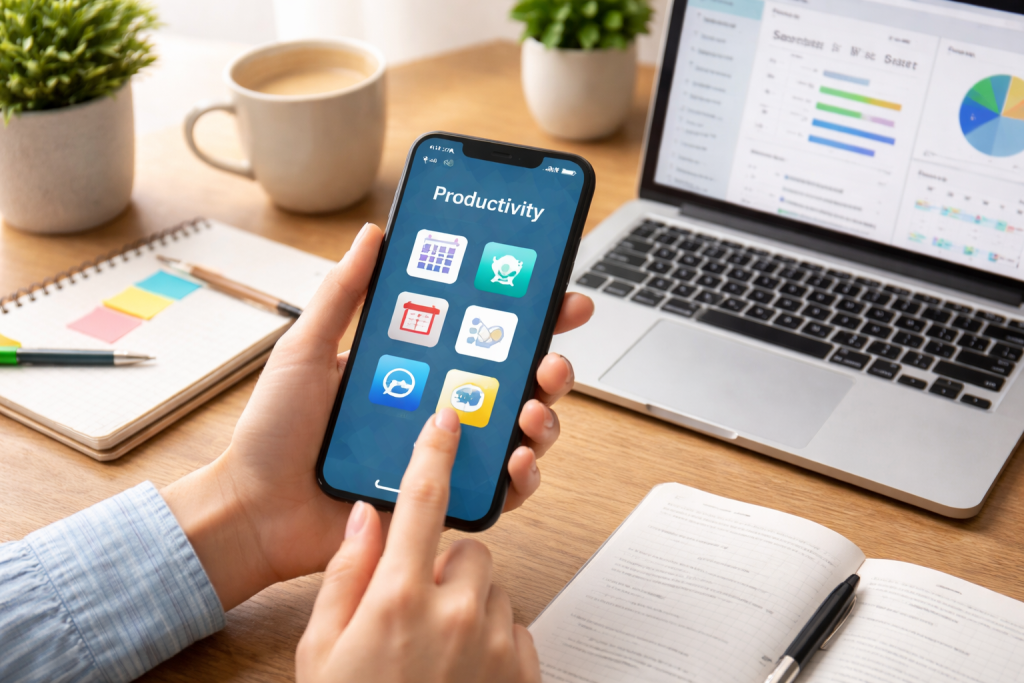
In an era defined by constant connectivity and rapid information flow, the ability to effectively manage time and commitments is paramount. Calendar apps serve as the bedrock of this organizational structure, providing a centralized and accessible platform for all our scheduled events. They move us beyond the limitations of paper planners, offering dynamic capabilities that adapt to our ever-changing lives. From the simplicity of remembering a dentist appointment to the complexity of coordinating multi-day projects, calendar apps empower us to visualize our time, plan proactively, and maintain a sense of control amidst the daily whirlwind. They are the silent orchestrators of our productivity, ensuring that what needs to be done gets done and that our precious free time remains just that—free. The fundamental benefit lies in their ability to declutter our mental space; by offloading the burden of remembering every detail, we free up cognitive resources for more important tasks and creative thinking.
Contents
- 1 The Evolution of Time Management Tools
- 2 Why Digital Calendars Reign Supreme
- 3 Understanding Your Organizational Style
- 4 Key Factors to Consider in App Selection
- 5 The Power of Reminders and Notifications
- 6 Seamless Integration with Other Tools
- 7 Event Creation and Management Capabilities
- 8 Cross-Device Synchronization for Universal Access
- 9 Connecting Your Calendar to Your Email and Contacts
- 10 The Art of Time Blocking
- 11 Embracing Recurring Events and Templates
- 12 Facilitating Shared Calendars and Event Visibility
- 13 Streamlining Meeting Invitations and RSVP Tracking
- 14 Bringing Your To-Do List into Your Calendar View
- 15 Scheduling Tasks as Events for Better Accountability
- 16 Color-Coding for Visual Clarity
- 17 Personalizing Notification Settings and Views
- 18 Merging and Overlaying Different Calendars
- 19 Setting Event Priorities and Dependencies
- 20 Regular Review and Planning Sessions
- 21 Utilizing Calendar Features for Proactive Scheduling
The Evolution of Time Management Tools
Historically, humanity has relied on various methods to track time and events. From sundials and hourglasses to the ubiquitous paper calendar hanging on the wall, our methods have constantly evolved. The advent of digital technology has propelled this evolution to unprecedented levels. Early digital planners offered basic scheduling, but modern calendar apps boast a wealth of features that cater to a diverse range of individuals and their unique organizational needs. This progression has democratized effective time management, making powerful organizational tools accessible to nearly everyone with a smartphone or computer. The shift from static paper to dynamic digital has been a game-changer, allowing for real-time updates, sharing, and integration with other aspects of our digital lives.
Why Digital Calendars Reign Supreme
The advantages of digital calendar apps over their analog predecessors are numerous and manifest in tangible improvements in efficiency and effectiveness. The ability to set reminders for events, preventing missed appointments or deadlines, is a core feature that alone justifies the switch for many. Furthermore, the ease with which recurring events can be set up, from weekly team meetings to monthly bill payments, eliminates repetitive manual entry. Sharing calendars with family members or colleagues fosters transparency and simplifies coordination, eliminating the need for endless back-and-forth communication. Ultimately, the accessibility and power of a digital calendar are unparalleled, positioning it as an indispensable tool for modern organization.
The market is brimming with calendar applications, each vying for a spot on your digital dashboard. This abundance, while beneficial, can also be overwhelming. Selecting the perfect app requires a thoughtful consideration of your personal habits, professional requirements, and technological ecosystem. What might be an ideal solution for a busy student will undoubtedly differ from the needs of a project manager or a stay-at-home parent. The key is to identify an app that seamlessly integrates into your workflow rather than becoming another source of complexity.
Understanding Your Organizational Style
Before diving into the feature lists of various apps, take a moment to reflect on your own organizational tendencies. Are you a visual person who thrives on color-coding and graphical representations? Do you prefer a minimalist interface that avoids clutter? Perhaps you are someone who needs prompts and alerts for every little thing, or maybe you prefer a more hands-off approach. Your natural inclinations will strongly influence which app design and functionality will resonate most with you. Consider how you currently manage your time, what frustrations you experience, and what features would genuinely alleviate those pain points.
Key Factors to Consider in App Selection
When evaluating calendar apps, several critical factors should guide your decision-making process. First and foremost, consider the platform compatibility. If you primarily use an iPhone, an app that offers superior integration with the Apple ecosystem might be desirable. Similarly, Android users will want to ensure seamless functionality within the Google ecosystem. Beyond the platform, please consider the core functionality you require. Do you need robust sharing capabilities for family or work? Is integration with other productivity tools a priority? The user interface is also important; an intuitive, easy-to-navigate app will be used more often. Finally, consider the cost: many excellent calendar apps are free, while others offer premium features for a subscription fee.
Once you have a general understanding of your needs, it’s time to delve into the specific features that can elevate a calendar app from a simple scheduling tool to a powerful productivity engine. Not all calendar apps are created equal, and focusing on the features that align with your personal and professional life will ensure you select an application that truly enhances your organization.
The Power of Reminders and Notifications
The ability to set customizable reminders is arguably the most fundamental yet impactful feature of any calendar app. These digital nudges are essential for preventing those dreaded moments when you realize you’ve missed an important appointment, forgotten a deadline, or overlooked a commitment. The best apps offer a range of reminder options, allowing you to set them minutes, hours, days, or even weeks in advance. Some even provide escalating reminders, ensuring you don’t miss the notification altogether in the midst of a busy day. Look for apps that allow for nuanced control over these notifications, enabling you to tailor them to the urgency of each event.
Seamless Integration with Other Tools
In today’s interconnected digital landscape, a calendar app that operates in isolation is a missed opportunity. The most effective calendar applications seamlessly integrate with other tools you use daily. This could include email clients, task management apps, cloud storage services, and even communication platforms. Such integration streamlines your workflow, reducing the need to constantly switch between applications. For example, an app that can automatically pull meeting invitations from your email and add them to your calendar, or one that allows you to schedule tasks directly from your to-do list, can significantly boost your efficiency.
Event Creation and Management Capabilities
At its core, a calendar app is about managing events, and the ease with which you can create and modify them is paramount. Look for an app that offers quick event creation, allowing you to add details like title, date, time, location, and attendees with minimal effort. The ability to set repeating events, block out travel time, and add notes or attachments to events are also highly valuable. Furthermore, consider how easily you can reschedule or cancel events. A drag-and-drop interface and clear editing options contribute to a smooth user experience. Some advanced apps even offer natural language input, allowing you to type “Meeting with Sarah tomorrow at 2 PM at the coffee shop” and have the app automatically parse and create the event.
The true magic of a modern calendar app lies not just in its standalone capabilities but in its ability to synchronize seamlessly across all your devices and integrate with your other essential digital tools. This interconnectedness ensures that your schedule is always up-to-date, accessible, and working collectively to enhance your productivity.
Cross-Device Synchronization for Universal Access
One of the most significant advantages of digital calendar apps is the ability to access your schedule from any device, anywhere, at any time. Whether you’re on your smartphone, tablet, or computer, your calendar should reflect the latest changes. This requires robust synchronization capabilities. Opt for apps that offer reliable cloud-based syncing, ensuring that updates made on one device are instantly reflected on all others. This eliminates the frustration of discovering a conflicting appointment or missing an event because your calendar on your laptop wasn’t updated.
Connecting Your Calendar to Your Email and Contacts
Your email and contact list are inextricably linked to your schedule. A well-integrated calendar app will leverage these connections to simplify event management. For instance, many apps can automatically detect potential event details within emails, such as meeting invitations or flight bookings, and prompt you to add them to your calendar. Similarly, when creating events, the ability to easily select attendees from your contact list saves time and reduces the chance of typing errors. This seamless flow of information between your email, contacts, and calendar creates a more cohesive and efficient organizational system.
Simply having a calendar app is not enough; to truly harness its power, you need to employ strategic approaches to its utilization. By adopting best practices, you can transform your calendar from a passive record of events into an active tool for achieving your goals and optimizing your time.
The Art of Time Blocking
Time blocking is a powerful productivity technique that involves allocating specific blocks of time for particular tasks or activities. Your calendar app is the ideal platform for implementing this strategy. Instead of just noting down appointments, actively schedule blocks of time for focused work, creative endeavors, exercise, or even dedicated decompression time. By visually representing these dedicated blocks on your calendar, you create a roadmap for your day and week, minimizing distractions and ensuring that important tasks receive the attention they deserve. This proactive approach helps prevent over-scheduling and ensures that you have dedicated time for both work and personal well-being.
Embracing Recurring Events and Templates
Many of our professional and personal lives are governed by recurring activities. From daily stand-up meetings to weekly personal development sessions, these events can be set up once in your calendar app and will automatically populate for future occurrences. This not only saves tremendous time compared to manual entry but also ensures consistency and reduces the potential for missed commitments. Furthermore, consider creating event templates for frequently scheduled activities. For instance, if you regularly conduct client onboarding calls, a template with pre-filled agenda items or relevant links can significantly speed up the event creation process for these common occurrences.
As collaboration becomes increasingly integral to modern workplaces, the ability of a calendar app to facilitate team scheduling and coordination is paramount. The ideal team calendar app goes beyond individual organization to foster seamless communication and efficient group planning.
For teams to function effectively, a shared understanding of everyone’s availability is crucial. Top-tier team calendar apps allow for the creation and sharing of multiple calendars, enabling team members to view each other’s schedules. This transparency is invaluable for identifying optimal meeting times, avoiding scheduling conflicts, and ensuring that all relevant parties are aware of upcoming events. Features like adjustable privacy settings allow teams to maintain appropriate levels of visibility while ensuring essential information is accessible to those who need it. This shared visibility forms the foundation of efficient team-based time management.
Streamlining Meeting Invitations and RSVP Tracking
The process of organizing team meetings can often be a frustrating back-and-forth affair. The best team calendar apps simplify this by integrating robust meeting invitation features. These allow organizers to send invitations directly from the calendar, include agenda details, attach relevant documents, and even suggest optimal meeting times based on the availability of attendees. Furthermore, the ability to track RSVPs in real-time provides organizers with immediate clarity on who can attend, allowing for quick adjustments if necessary. This streamlined approach to meeting coordination saves valuable time and reduces the administrative burden on team leaders.
The line between scheduled events and actionable tasks can often be blurred. The most effective organizational strategies recognize this overlap and seek to integrate task management directly within the calendar framework, creating a unified system for managing both commitments and responsibilities.
Bringing Your To-Do List into Your Calendar View
Many individuals maintain separate to-do lists, which can lead to a fragmented approach to productivity. Calendar apps that offer seamless integration with task management features or are dedicated to-do list applications allow you to visualize your tasks alongside your scheduled events. This provides a holistic view of your workload, enabling you to prioritize and allocate specific time slots for completing your tasks, just as you would for appointments. Seeing your tasks directly on your calendar ensures their active attention within a defined timeframe.
Scheduling Tasks as Events for Better Accountability
Treating tasks as appointments is a powerful technique to ensure their completion. By creating calendar events for your to-dos, you lend them a formal structure and a dedicated time slot. This makes them more concrete and increases accountability. For example, instead of just having “Write report” on a general to-do list, scheduling a two-hour block on your calendar for “Draft Report—Section 1” transforms it into a committed activity. This approach not only helps you allocate sufficient time for each task but also provides a clear visual cue of your progress and what remains to be done on any given day.
While many calendar apps offer a standardized interface, the true power lies in their ability to be tailored to your individual preferences and organizational needs. Customization allows you to create a digital workspace that is not only functional but also aesthetically pleasing and intuitively designed for you.
Color-Coding for Visual Clarity
One of the simplest yet most effective customization techniques is color-coding. Assigning different colors to various categories of events—work meetings, personal appointments, family activities, hobbies, exercise, etc.—creates instant visual cues. This allows you to quickly scan your calendar and grasp the overall balance of your commitments without needing to read every single entry. For example, a glance at your calendar might reveal a predominantly blue day (work) with a bright red block for a personal appointment, alerting you to a potential time conflict or simply providing an immediate overview of your day’s structure.
Personalizing Notification Settings and Views
Beyond color-coding, most calendar apps offer a range of personalization options for notification settings and display views. You can often customize the default reminder times for different types of events. Perhaps you prefer longer lead times for work-related events and shorter ones for casual social gatherings. Similarly, explore the different view options available, such as daily, weekly, monthly, or agenda views, and choose the one that best suits your cognitive processing and planning style. Some apps even allow you to create custom views that filter for specific categories of events, further refining your organizational experience.
In our multifaceted lives, it’s rare that a single calendar suffices. Juggling work, family, social life, and personal projects often necessitates managing multiple calendars. The key to avoiding overwhelm lies in choosing an app that facilitates the seamless integration and management of these disparate schedules.
Merging and Overlaying Different Calendars
The most effective way to manage multiple calendars is through an app that allows you to merge or overlay them into a single, unified view. This means that your work calendar, personal calendar, family calendar, and perhaps even a shared project calendar can all be displayed simultaneously. While they maintain their distinct identities (often through color-coding), their events are presented in a consolidated timeline. This provides an invaluable macroscopic view of your commitments, enabling you to identify potential conflicts and optimize your schedule across all aspects of your life.
Setting Event Priorities and Dependencies
When managing numerous events across multiple calendars, understanding the relative importance of each commitment becomes crucial. Some advanced calendar apps allow you to assign priority levels to events or even set dependencies. For instance, a critical project deadline might be flagged as high priority, influencing how you schedule and allocate time for preparatory tasks. Similarly, setting up dependencies can ensure that certain events don’t overlap or are scheduled in a logical sequence, preventing logistical nightmares and ensuring that your most important responsibilities are always at the forefront.
Ultimately, the most sophisticated calendar app is only as effective as the user’s ability to implement sound time management strategies. Your calendar app is a powerful tool, but it requires intentionality and discipline to truly unlock its potential for enhanced productivity and a more balanced life.
Regular Review and Planning Sessions
To truly leverage your calendar app, make it a habit to review and plan your schedule regularly. Dedicate a few minutes at the end of each day to look at what’s coming up tomorrow, and set aside a more substantial block of time at the beginning of each week (or end of the previous week) to plan out your major tasks and appointments. This proactive approach helps you anticipate busy periods, identify potential bottlenecks, and ensure that your schedule aligns with your goals. By consistently engaging with your calendar, you transform it into a dynamic planning tool rather than a static record.
Utilizing Calendar Features for Proactive Scheduling
Beyond simply recording events, actively use your calendar’s features to be proactive. Use the time-blocking technique diligently, schedule buffer time between appointments to account for travel or unexpected delays, and set realistic deadlines for tasks. If you notice a pattern of over-scheduling, use your calendar to identify opportunities to delegate, postpone, or eliminate non-essential commitments. The true power of a calendar app lies in its ability to help you design your days and weeks intentionally, ensuring that you are in control of your time rather than your time controlling you. This proactive engagement is the gateway to a more organized and less stressful existence.

About the Author
Muqadas Ali is the founder of SmartLearningWay with over 5 years of experience in blogging and digital learning. His mission is to help students and professionals improve productivity using simple methods and modern tools.


