

The quest for effective learning tools has never been more dynamic, and in the digital age, affordable tablets have emerged as powerful allies for students of all levels. The days of exclusive access to advanced technology were long gone. Today, a wealth of budget-friendly tablets offer robust features and functionalities that can significantly enhance the academic journey. This article explores the world of affordable tablets, highlighting their benefits, showcasing the top contenders, and offering practical advice for students and educators alike.
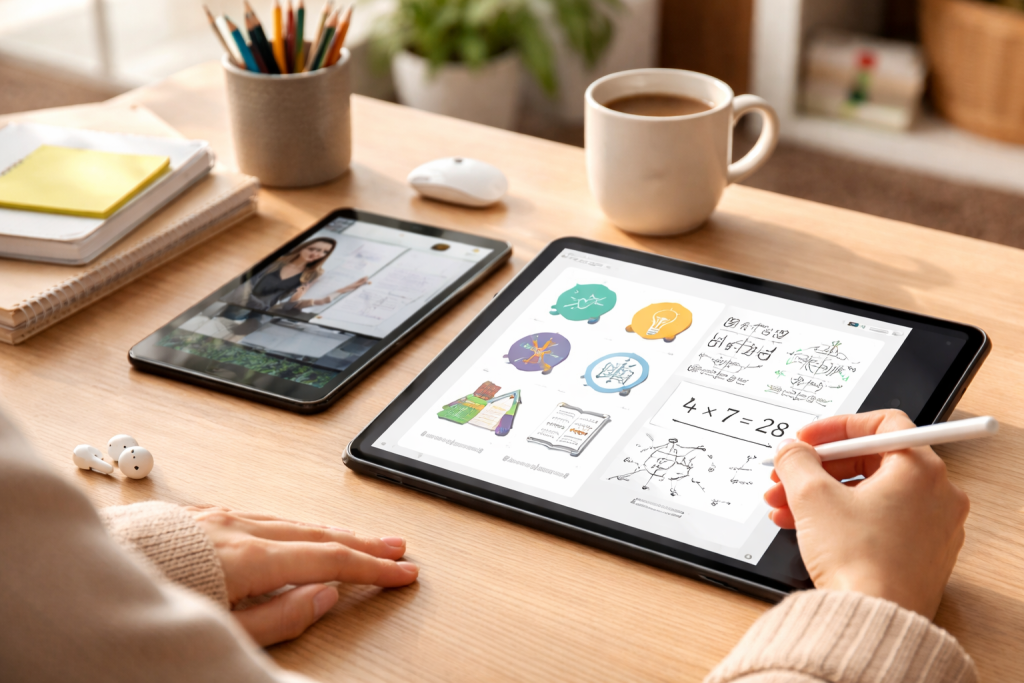
Technology is increasingly permeating the modern classroom. From online research and digital textbooks to interactive learning apps and collaborative projects, digital tools are no longer supplementary but often essential for academic success. However, the cost of high-end devices can be a significant barrier for many students. This is where affordable tablets step in, democratizing access to these crucial learning resources. These devices strike a balance between functionality and price, making them an accessible and valuable investment for any student navigating the demands of education. They offer a portable and versatile platform that caters to a wide range of academic needs, from note-taking and assignment submission to multimedia consumption and specialized learning software.
Contents
- 1 The Evolving Landscape of Educational Technology
- 2 Defining “Affordable” in the Context of Student Budgets
- 3 Enhanced Learning Engagement and Interactivity
- 4 Improved Organization and Note-Taking Capabilities
- 5 Access to a World of Educational Resources
- 6 1. Amazon Fire HD 10
- 7 2. Samsung Galaxy Tab A Series (e.g., Tab A8)
- 8 3. Lenovo Tab M Series (e.g., Tab M10 Plus)
- 9 4. Apple iPad (9th Generation—if found on sale)
- 10 5. Vankyo MatrixPad S30
- 11 Display Size and Resolution
- 12 Performance and Multitasking Capabilities
- 13 Storage and Expandability
- 14 Battery Life
- 15 Interactive Learning Experiences
- 16 Streamlined Research and Information Access
- 17 Efficient Note-Taking and Organization
- 18 Fostering Digital Literacy and Future Readiness
- 19 Operating System Preference
- 20 Screen Size and Portability
- 21 Storage Needs and Expandability
- 22 Budget Constraints and Long-Term Value
- 23 Compatibility with Essential Apps and Software
- 24 Utilize Cloud Storage for Seamless Access
- 25 Explore Educational Apps and Platforms
- 26 Invest in a Stylus for Enhanced Note-Taking
- 27 Create a Dedicated Study Space and Schedule
- 28 Master Basic Productivity Tools
- 29 Students’ Perspectives
- 30 Educators’ Insights
- 31 Online Retailers
- 32 Manufacturer Websites
- 33 Refurbished and Used Markets
- 34 Educational Discounts and Programs
The Evolving Landscape of Educational Technology
The traditional view of a student’s toolkit often included heavy textbooks, notebooks, and pens. While these still have their place, technology has introduced a paradigm shift. Tablets, with their compact size and diverse capabilities, have seamlessly integrated into this evolving landscape. They provide a dynamic alternative to static learning materials, offering interactive content, immediate access to vast information reserves, and the ability to personalize the learning experience. The affordability factor further amplifies their impact, allowing more students to leverage these transformative tools.
Defining “Affordable” in the Context of Student Budgets
When we talk about affordable tablets for students, we’re not necessarily referring to the cheapest devices available on the market, which might compromise on essential features. Instead, we’re looking for devices that offer a compelling combination of performance, durability, and functionality at a price point that aligns with student budgets, often falling within the $100 to $300 range. These devices are designed to meet the core requirements of academic work without the premium price tag associated with flagship models.
The advantages of incorporating a tablet into a student’s academic life are multifaceted. They go beyond mere convenience and extend to tangible improvements in learning engagement, productivity, and organization. One of the most immediate benefits is the sheer portability. A lightweight tablet can house an entire library of textbooks, notes, and research materials, eliminating the burden of carrying heavy bags. This convenience fosters a more agile learning environment, allowing students to study and work wherever they find inspiration or opportunity. Furthermore, tablets facilitate a more interactive and engaging learning experience.
Enhanced Learning Engagement and Interactivity
Tablets are inherently designed for a touch-based, interactive experience. This translates directly into more dynamic learning. Students can engage with digital textbooks that offer embedded videos, interactive quizzes, and clickable diagrams. Educational apps can transform abstract concepts into tangible simulations, making complex subjects easier to grasp and remember. The ability to annotate directly on documents, highlight key passages, and create digital flashcards further personalizes the learning process and reinforces understanding.
Improved Organization and Note-Taking Capabilities
The days of losing important notes or struggling to find a specific piece of information are significantly reduced with a tablet. Digital note-taking apps allow for organized storage, easy searching, and even the integration of multimedia elements like photos and audio recordings. Students can create separate notebooks for different subjects, tag notes with keywords, and access them from anywhere. This streamlined approach to organization saves time and reduces stress, allowing students to focus more on their studies.
Access to a World of Educational Resources
The internet is a vast repository of knowledge, and a tablet provides instant access to this wealth of information. Students can conduct research, access online libraries, watch educational videos, and connect with educational platforms and resources. This immediate access to up-to-date information and diverse perspectives enriches their understanding and encourages independent learning beyond the confines of traditional curriculum materials.
Identifying the best affordable tablets requires a careful evaluation of key specifications, user reviews, and overall value. While the market is constantly evolving, several models consistently stand out for their suitability for student needs. These devices offer a practical balance of performance, battery life, and screen real estate, making them ideal companions for academic pursuits.
1. Amazon Fire HD 10
The Amazon Fire HD 10 is a perennial favorite in the affordable tablet segment, and for good reason. It boasts a vibrant 10.1-inch display that’s excellent for reading e-books, browsing the web, and watching educational videos. Its performance is more than adequate for typical student tasks like word processing, streaming lectures, and light multitasking. The extended battery life ensures it can last through a full school day on a single charge. Moreover, its integration with the Amazon ecosystem provides access to a vast library of Kindle books, Prime Video content, and a wide array of educational apps. While it operates on a Fire OS based on Android, it offers access to the Google Play Store through a simple workaround, expanding its functionality considerably for academic use.
2. Samsung Galaxy Tab A Series (e.g., Tab A8)
Samsung’s Galaxy Tab A series consistently delivers excellent value for money, and the Tab A8 is a prime example. It offers a spacious display, often around 10.5 inches, which is perfect for reading, writing, and viewing content. The Android operating system provides a familiar and versatile experience, allowing seamless integration with Google’s suite of productivity tools like Docs, Sheets, and Drive. The Tab A series is known for its durable build quality and decent performance for everyday tasks. Students can benefit from its ability to run multiple apps side-by-side, enhancing multitasking capabilities. The inclusion of Samsung’s Kids Mode also makes it a viable option for younger students, offering a controlled and educational digital environment.
3. Lenovo Tab M Series (e.g., Tab M10 Plus)
Lenovo’s Tab M series, particularly models like the M10 Plus, offers a compelling combination of a large, high-resolution display and solid performance at an attractive price point. These tablets are well-suited for media consumption, reading, and general productivity. The Android operating system ensures compatibility with a wide range of educational apps and services. Lenovo often equips these tablets with decent processors and ample RAM, allowing for smooth multitasking without significant lag. The build quality is generally robust, and the battery life is reliable, making them a practical choice for extended study sessions.
4. Apple iPad (9th Generation—if found on sale)
While new iPads can be pricier, the 9th generation iPad, often found on sale or as refurbished stock, presents a truly exceptional value proposition. It offers the renowned performance, user-friendly interface, and extensive app ecosystem that Apple is known for. The iPad’s processing power is sufficient for demanding academic tasks, and its compatibility with the Apple Pencil (separately sold) allows for precise note-taking and creative work. The vast library of educational apps available on the App Store is unparalleled, and the long-term software support ensures the device remains relevant for years. For students who can find it within their budget, the 9th generation iPad is a significant investment in their academic future.
5. Vankyo MatrixPad S30
For students on a tighter budget, the Vankyo MatrixPad S30 emerges as a surprisingly capable option. While it might not match the raw power of its more premium counterparts, it excels at core student tasks. It features a decent-sized display, adequate storage for essential apps and documents, and a battery that can see students through their daily academic needs. The Android operating system ensures access to a wide range of educational applications. Its affordability makes it an excellent entry-level device for students who primarily need a platform for reading, note-taking, and accessing online learning materials.
When evaluating these affordable tablets, it’s important to consider how their features and price points align with student needs and budgets. The Amazon Fire HD 10 typically champions affordability with its competitive pricing, often hovering around the $150 mark. Its strengths lie in its impressive display for its price and solid app access, especially for media consumption. The Samsung Galaxy Tab A series, while slightly more expensive, often ranging from $180 to $250, offers the full Android experience and robust multitasking. The Lenovo Tab M series falls into a similar price bracket, offering a good balance of screen size and performance for its cost. The Apple iPad (9th Gen), when available at a discounted rate, might push towards the higher end of the “affordable” spectrum, potentially around $250-$300, but its superior performance, build quality, and ecosystem often justify the investment for those who can swing it. The Vankyo MatrixPad S30 is generally the most budget-friendly, often found for under $100, making it an excellent choice for extremely constrained budgets, prioritizing basic functionalities.
Display Size and Resolution
The screen is the primary interface for any tablet, and for students, a comfortable viewing experience is paramount. The Fire HD 10 and Lenovo Tab M10 Plus both offer excellent 10.1-inch displays, which are ideal for reading and extended use. The Samsung Galaxy Tab A8 also boasts a generous 10.5-inch screen. The 9th generation iPad features a 10.2-inch Retina display, renowned for its sharpness and color accuracy. The Vankyo MatrixPad S30 might have a slightly smaller screen, but it’s typically sufficient for its intended purpose.
Performance and Multitasking Capabilities
For academic work, a tablet needs to handle multiple applications smoothly, especially when juggling research, note-taking, and online classes. The iPad generally leads in raw processing power, making it the most capable for demanding tasks. Samsung and Lenovo tablets offer solid mid-range performance that handles everyday student needs well. The Fire HD 10 is efficient for its price but might show some limitations with extremely heavy multitasking. The Vankyo MatrixPad S30 is best suited for lighter tasks.
Storage and Expandability
Students often download a significant number of apps, documents, and multimedia files. A minimum of 32GB of internal storage is recommended, with 64GB being preferable. Many Android tablets, including those from Samsung and Lenovo, offer microSD card slots for expandable storage, which is a significant advantage for budget-conscious users. The Fire HD 10 also supports microSD cards. The iPad has fixed storage options, so choosing the right capacity upfront is crucial.
Battery Life
A tablet that can last through a full day of classes and study sessions is invaluable. Most of the recommended tablets offer excellent battery life, typically ranging from 8 to 12 hours of continuous use, which is more than sufficient for a student’s daily routine.
The integration of tablets into education offers a transformative approach to how students learn and manage their academic responsibilities. They break down traditional barriers to information and engagement, fostering a more dynamic and personalized educational experience.
Interactive Learning Experiences
Tablets bring learning to life through interactive applications and multimedia content. Instead of passively reading text, students can engage with 3D models of the human body, explore historical timelines through interactive graphics, or conduct virtual science experiments. This hands-on approach not only makes learning more enjoyable but also significantly improves retention and comprehension.
Streamlined Research and Information Access
The ability to instantly access the internet and a wealth of online resources transforms research. Students can quickly look up definitions, find academic papers, watch supplementary lectures, and collaborate with peers in real-time. This immediate access to information cultivates independent learning and critical thinking skills.
Efficient Note-Taking and Organization
Digital note-taking apps on tablets offer unparalleled organization. Students can create separate notebooks for each subject, use different pen colors and styles, insert images or audio recordings, and easily search their notes for specific keywords. This digital organization eliminates the chaos of scattered physical notebooks and makes reviewing for exams much more efficient.
Fostering Digital Literacy and Future Readiness
In today’s technologically driven world, digital literacy is no longer an option but a necessity. Regular use of tablets in an educational setting helps students develop essential digital skills, including navigating software, managing files, online communication, and understanding digital etiquette. These skills are invaluable for their future academic and professional careers.
Selecting the perfect tablet involves balancing individual needs with the capabilities of available devices. What works for one student might not be ideal for another. Careful consideration of several factors will ensure a wise purchase that supports educational goals.
Operating System Preference
The choice between Android and iPadOS (or Fire OS) often comes down to personal preference and existing device ecosystems. Android offers greater customization and a wider range of hardware choices at various price points. iPadOS is known for its user-friendly interface, robust app selection, and seamless integration with other Apple devices. Fire OS, while based on Android, is more tailored to Amazon’s services but can be modified for broader app access.
Screen Size and Portability
For students who prioritize portability and frequent travel between classes, a smaller screen size (e.g., 8-9 inches) might be more convenient. However, for extensive reading, writing, and multimedia consumption, a larger screen (10-11 inches or more) generally offers a more comfortable experience.
Storage Needs and Expandability
Assessing current and future storage requirements is crucial. If a student plans to download many large apps, e-books, and educational videos, choosing a device with ample internal storage or expandable storage options via a microSD card is essential.
Budget Constraints and Long-Term Value
Affordability is a key driver, but it’s also important to consider the long-term value of a tablet. While a cheaper device might suffice for basic needs, investing a little more in a tablet with better performance and durability can lead to a longer lifespan and a more satisfying user experience.
Compatibility with Essential Apps and Software
Students should verify that the tablet they choose can run all the essential educational apps and software required for their courses. This includes note-taking apps, word processors, presentation software, online learning platforms, and any specialized academic tools.
Once a student has their tablet, making the most of this powerful tool requires a strategic approach. Simple adjustments and mindful usage can significantly amplify its educational benefits.
Utilize Cloud Storage for Seamless Access
Embrace cloud storage services like Google Drive, Dropbox, or OneDrive. This allows students to store their assignments, notes, and research materials securely and access them from any device, ensuring they always have their work at hand.
Explore Educational Apps and Platforms
Beyond the basic functionality, the true power of a tablet lies in its app ecosystem. Students should actively seek out and utilize educational apps tailored to their subjects, such as Khan Academy for math and science, Quizlet for flashcards, or Notion for extensive note-taking and organization.
Invest in a Stylus for Enhanced Note-Taking
For students who prefer handwriting notes or engaging in more detailed annotations, a stylus, either a basic capacitive one or a more advanced pressure-sensitive model like the Apple Pencil, can be a game-changer. This bridges the gap between traditional pen-and-paper and digital note-taking.
Create a Dedicated Study Space and Schedule
While tablets offer portability, it’s still beneficial to establish dedicated study times and spaces. This helps minimize distractions and promotes a focused learning environment, even when using a portable device.
Master Basic Productivity Tools
Become proficient in using the tablet’s built-in productivity tools or compatible apps like Google Docs, Sheets, and Slides. Efficiently creating and editing documents, spreadsheets, and presentations is a fundamental skill for academic success.
The real-world experiences of students and educators provide invaluable insights into the effectiveness of affordable tablets in educational settings. Anecdotal evidence often highlights the transformative impact these devices can have.
Students’ Perspectives
Many students report that tablets have made their learning more engaging and accessible. They appreciate the ability to carry all their study materials in one device, the convenience of online research, and the interactive nature of educational apps. Feedback often praises the improved organization and the ease with which they can collaborate with classmates on group projects through shared documents and communication platforms. However, some students also note the potential for distraction from social media and entertainment apps, emphasizing the need for self-discipline.
Educators’ Insights
Educators often observe a marked increase in student participation and engagement when tablets are integrated into lessons. They find that tablets facilitate differentiated instruction, allowing them to provide personalized learning experiences and cater to diverse learning styles. The ability to quickly share resources, assign digital homework, and provide immediate feedback through digital platforms is highly valued. Educators also tend to recommend specific apps and digital tools that can enhance learning outcomes, underscoring the importance of guided integration.
The availability of affordable tablets means that students and parents have a variety of purchasing options. Making an informed choice about where to buy can lead to better deals and a more satisfactory overall experience.
Online Retailers
Major online retailers like Amazon, Best Buy, Walmart, and Target are prime destinations for finding a wide selection of affordable tablets. They often feature competitive pricing, frequent sales, and customer reviews that can aid in decision-making.
Manufacturer Websites
Purchasing directly from the manufacturer’s website, such as Samsung.com, Lenovo.com, or Apple.com (for refurbished iPads), can sometimes offer exclusive deals, student discounts, or extended warranty options.
Refurbished and Used Markets
For those on a very tight budget, considering refurbished or used tablets can be a smart strategy. Reputable online marketplaces and electronics retailers often sell certified refurbished devices that have been inspected and repaired, coming with a warranty. This can provide significant savings on higher-end models, such as the iPad.
Educational Discounts and Programs
Many manufacturers and retailers offer specific educational discounts to students and educators. It’s always worth checking for these programs, as they can lead to substantial savings on the purchase of new devices.
In conclusion, the advent of affordable tablets has democratized access to powerful educational tools, making them an indispensable asset for students. These devices offer a compelling blend of portability, versatility, and functionality that can significantly enhance learning engagement, improve organization, and streamline access to information. From interactive learning experiences and efficient note-taking to broadened research capabilities, the benefits are undeniable. While the initial cost of high-end devices can be prohibitive, the top affordable tablets deliver exceptional value, providing robust performance and crucial features without breaking the bank.
By carefully considering individual needs, understanding the strengths of different operating systems and brands, and embracing strategies for maximizing their use, students can truly leverage these devices to their academic advantage. The feedback from both students and educators consistently points to the positive impact these tablets have on the learning process. Whether you’re a student looking to upgrade your academic toolkit or a parent seeking an effective and budget-friendly learning aid, investing in an affordable tablet is a smart and forward-thinking decision that can pave the way for greater student success. The value they bring extends far beyond their price tag, empowering students with the digital literacy and resources necessary to thrive in today’s dynamic educational landscape.

About the Author
Muqadas Ali is the founder of SmartLearningWay with over 5 years of experience in blogging and digital learning. His mission is to help students and professionals improve productivity using simple methods and modern tools.


