

In an increasingly digitized world, the traditional paper planner, while still comforting to some, is rapidly ceding ground to a more dynamic and versatile solution: the digital planner. No longer just a glorified calendar, these sophisticated tools offer a pathway from the swirling chaos of daily demands to a state of controlled, focused productivity.
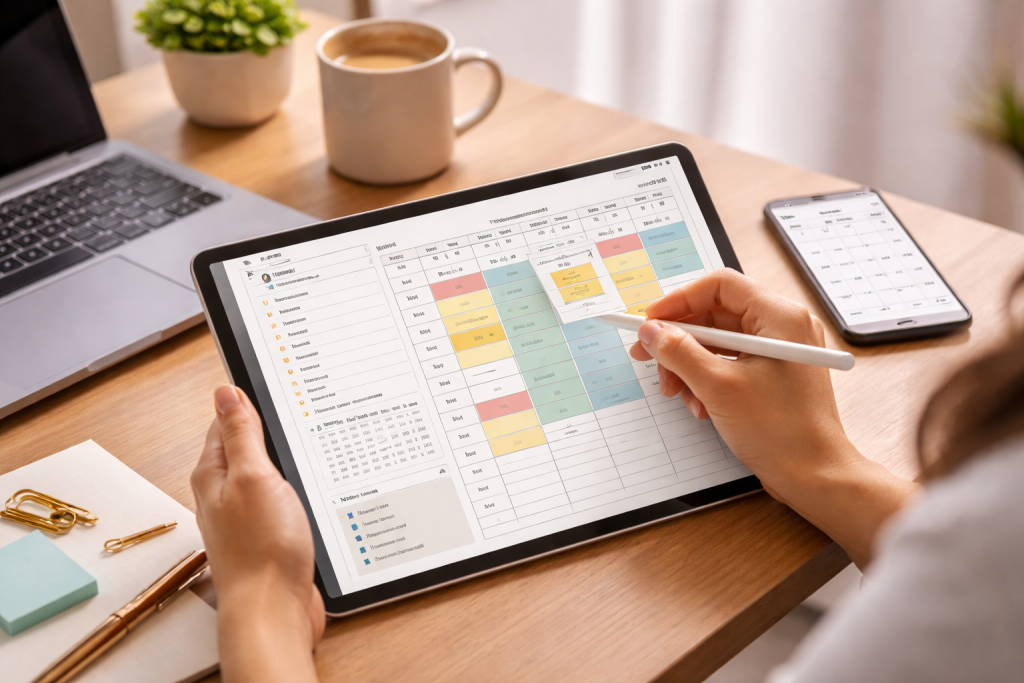
This shift isn’t merely about convenience; it’s about fundamentally rethinking how we organize our lives, manage our time, and achieve our aspirations. By leveraging the power of digital platforms, individuals and teams can unlock new levels of efficiency, streamline complex projects, and cultivate a sense of mastery over their busy schedules.
Contents
- 1 Understanding the Benefits of Digital Planners for Productivity
- 2 Choosing the Right Digital Planner for Your Needs
- 3 Organizing Your Tasks and Goals with Digital Planning Tools
- 4 Integrating Digital Planners into Your Daily Routine
- 5 Utilizing Digital Planners for Project Management and Collaboration
- 6 Embracing the Future of Productivity: The Evolution of Digital Planning
Understanding the Benefits of Digital Planners for Productivity
The transition from physical to digital planning isn’t just a trend; it’s a strategic move towards enhanced productivity. The inherent advantages of digital tools far outweigh the limitations of their paper counterparts, offering a dynamic and adaptable system for managing every facet of your life.
Instant Accessibility and Sync Across Devices
One of the most compelling arguments for digital planners is their unparalleled accessibility. Your schedule, to-do lists, notes, and goals are no longer confined to a single notebook that can be forgotten or misplaced. With digital planners, this information is readily available on your smartphone, tablet, laptop, or desktop computer, often synchronizing seamlessly across all devices. This means whether you’re at your desk, commuting, or on vacation, your entire organizational hub is literally at your fingertips, allowing for immediate updates and reviews, preventing those frantic “did I write that down?” moments.
Dynamic Editing and Information Management
Unlike paper planners, where corrections can be messy and space is finite, digital planners offer boundless flexibility. Tasks can be easily rescheduled with a drag-and-drop motion, priorities can be reordered instantly, and notes can be expanded upon without constraint. This dynamic editing capability fosters a more fluid and less intimidating approach to planning. Furthermore, the ability to attach files, links, images, and audio notes directly within your planner transforms it into a comprehensive information management system, eliminating the need to cross-reference multiple platforms for project details or meeting agendas.
Powerful Search and Filtering Capabilities
Imagine trying to find a specific note from three months ago buried in a physical planner. With digital planners, a simple search function can pinpoint exactly what you’re looking for in seconds. Beyond basic search, many digital planners offer advanced filtering options, allowing you to view tasks by project, priority, due date, or even assigned tag. This level of granular control empowers users to quickly gain an overview of their commitments or drill down into specific areas, significantly enhancing both memory recall and strategic planning.
Choosing the Right Digital Planner for Your Needs
The digital planner landscape is vast and varied, ranging from simple calendar apps to comprehensive project management suites. Selecting the ideal tool requires careful consideration of your individual or team’s specific requirements, workflow preferences, and technological comfort level.
Assessing Your Personal and Professional Requirements
Before diving into the myriad of options, take stock of what you truly need. Are you primarily looking for a personal task manager, a collaborative tool for a team, or something that can handle complex project timelines? Consider the volume of tasks you typically manage, the types of commitments you juggle (e.g., appointments, deadlines, creative projects), and your preferred planning methodology (e.g., time blocking, Getting Things Done, Agile). A solo entrepreneur might prioritize integration with invoicing software, while a student might need robust note-taking and assignment tracking features.
Exploring Different Digital Planner Types and Features
Digital planners generally fall into several categories. Basic calendar apps like Google Calendar or Outlook Calendar excel at scheduling appointments and setting reminders. Dedicated task managers like Todoist or Things focus on efficient task capture, prioritization, and tracking. More comprehensive productivity suites like Notion or ClickUp offer a flexible workspace that can encompass everything from personal to-do lists to complex project management with kanban boards and databases. Consider features such as recurring tasks, subtasks, customizable views, integration with other apps (email, cloud storage), collaboration tools, and offline access.
Free vs. Paid Options and Scalability
Many excellent digital planners offer free versions with core functionalities, which are perfect for individuals just starting their digital planning journey. However, paid subscriptions often unlock advanced features like increased storage, integrations, priority support, and enhanced collaboration capabilities. Think about scalability; if your needs are likely to grow, choosing a planner that offers various tiers or flexible expansions will prevent the need for a disruptive migration later on. Investigate whether the free tier adequately covers your essentials before committing to a subscription.
Organizing Your Tasks and Goals with Digital Planning Tools
The true power of digital planners lies in their ability to transform abstract goals and a jumble of tasks into a structured, actionable plan. It’s about more than just listing; it’s about strategizing and visualizing your path to success.
Setting Clear Goals and Breaking Them Down
Effective digital planning begins with well-defined goals. Utilize your planner to articulate your long-term aspirations, then strategically break them down into smaller, manageable milestones. Many digital planners offer features like goal tracking, where you can assign objectives to specific projects or timeframes and then link individual tasks directly to those goals. This creates a clear lineage from daily actions to overarching ambitions, fueling motivation and providing a sense of purpose to every item on your to-do list.
Implementing Prioritization Techniques
Not all tasks are created equal. Digital planners facilitate robust prioritization by allowing you to assign urgency, importance, or custom tags to each item. Techniques like the Eisenhower Matrix (urgent/important) or the ABCDE method can be seamlessly integrated. By visually distinguishing high-priority tasks (e.g., with color coding, due dates, or dedicated sections), you can focus your energy on what truly matters, avoiding the trap of constantly tackling low-impact activities.
Utilizing Tags, Categories, and Custom Fields
To maintain order within a growing list of commitments, leverage the organizational power of tags, categories, and custom fields. Tags can be used for contextualization (e.g., #work, #personal, #errands, #email), allowing you to quickly filter and focus on specific areas of your life. Categories can group similar tasks or projects, while custom fields offer bespoke data points relevant to your workflow, such as client names, specific tools required, or progress status. This flexibility ensures your planner adapts to your unique organizational logic rather than forcing you into a rigid structure.
Integrating Digital Planners into Your Daily Routine
A digital planner is only as effective as your commitment to using it. Seamless integration into your daily habits is crucial for transforming it from a tool into an indispensable productivity partner.
Establishing a Daily and Weekly Planning Ritual
Consistency is key. Dedicate specific times each day (e.g., first thing in the morning) and week (e.g., Sunday evening) to review, update, and plan within your digital planner. This ritual helps you set intentions, anticipate challenges, and allocate resources effectively. During your daily check-in, review your priority tasks and schedule for the day. Your weekly review allows for a broader perspective, evaluating progress on long-term goals and adjusting future plans as needed. This proactive approach prevents tasks from accumulating into overwhelming piles.
Seamless Integration with Other Productivity Tools
Maximize efficiency by connecting your digital planner with other essential tools. Many planners offer integrations with email clients, calendar apps, cloud storage services (Google Drive, Dropbox), and communication platforms (Slack, Microsoft Teams). For instance, an email can be directly converted into a task, meeting notes can be linked to a project, or a document can be attached to a specific deadline. This interconnectedness minimizes context switching, reduces manual data entry, and centralizes your workflow, creating a cohesive and highly efficient digital ecosystem.
Leveraging Reminders and Notifications Effectively
Digital planners excel at providing timely nudges. Configure reminders for deadlines, important appointments, or even just to prompt you to review your daily tasks. Experiment with different notification types—push notifications, emails, and desktop alerts—to find what works best without becoming disruptive. The goal is to use these features to stay on schedule and prevent forgotten commitments, not to create a constant stream of interruptions. Thoughtful use of reminders empowers you to focus on the task at hand, trusting your planner to alert you when it’s time to shift gears.
Utilizing Digital Planners for Project Management and Collaboration
Beyond individual task management, digital planners are invaluable assets for team-based project management, fostering transparency, accountability, and streamlined communication.
Centralizing Project Information and Milestones
Digital planners provide a central repository for all project-related information, eliminating the fragmentation that often plagues team efforts. From initial brainstorming sessions to final deliverables, all documents, notes, timelines, and progress updates can reside within the planner. Milestones can be clearly defined, assigned, and tracked, providing a clear roadmap for every team member and ensuring everyone is aligned with the project’s trajectory. This centralization drastically reduces “where is that file?” moments and ensures everyone is working from the latest information.
Facilitating Team Collaboration and Task Delegation
Many advanced digital planners offer robust collaboration features. Tasks can be easily assigned to specific team members, with clear due dates and progress indicators. Comments and discussions can take place directly within the task card, ensuring all communication related to a specific item is contextualized and readily accessible. This fosters transparency, promotes accountability, and minimizes the need for endless email chains or impromptu meetings, streamlining communication and accelerating decision-making processes.
Tracking Progress and Ensuring Accountability
With digital planners, project managers can gain an instant overview of project status through dashboards, progress bars, and custom reports. Individual team members can update their task status (e.g., “in progress,” “pending review,” “complete”), providing real-time visibility into workload and bottlenecks. This level of transparency ensures accountability across the team, identifies potential delays early on, and allows for proactive interventions, keeping projects on track and within scope. The ability to visualize progress fosters a sense of achievement and collective momentum.
Embracing the Future of Productivity: The Evolution of Digital Planning
The landscape of digital planning is continuously evolving, driven by advancements in technology and a deeper understanding of human productivity. What we see today is merely a glimpse into a future where these tools will become even more intuitive, intelligent, and integrated into our lives.
The Rise of AI-Powered Planning and Automation
Artificial intelligence is poised to revolutionize digital planning. Imagine a planner that learns your habits, predicts potential conflicts in your schedule, and proactively suggests optimal times for tasks. AI could automate repetitive scheduling, triage incoming tasks based on predefined rules, or even draft initial responses to routine emails linked to a project. This move towards intelligent automation will free up even more cognitive load, allowing users to focus on higher-level strategic thinking and creative problem-solving rather than administrative minutiae.
Enhanced Integrations and Ecosystemic Productivity
The trend towards seamless integration will only intensify. Future digital planners will likely become hyper-connected hubs, effortlessly pulling data from an ever-wider array of internal and external services. This will create a truly ecosystemic approach to productivity, where your planner isn’t just an app but the central nervous system connecting your communication tools, document management systems, financial software, and even IoT devices. This interconnectedness will eliminate data silos and create a unified, intelligent workflow environment.
Adaptable and Personalized Planning Experiences
As user interfaces become more sophisticated and data analysis improves, digital planners will offer increasingly personalized experiences. Customization will go beyond aesthetics, extending to adaptive workflows that learn your preferences and adjust the planning interface and suggestions accordingly. This could involve dynamic task prioritization based on your energy levels throughout the day or personalized recommendations for skill development derived from your project goals. The future of digital planning is about creating a truly intuitive and responsive partner that anticipates your needs and truly enhances your capabilities, moving from mere task management to a collaborative force in achieving your life’s ambitions.

About the Author
Muqadas Ali is the founder of SmartLearningWay with over 5 years of experience in blogging and digital learning. His mission is to help students and professionals improve productivity using simple methods and modern tools.


