

In today’s fast-paced world, with looming deadlines and abundant distractions, maintaining organization and productivity can be an ongoing struggle. The sheer volume of tasks, projects, and responsibilities can quickly become overwhelming, leading to missed deadlines, increased stress, and a general feeling of being adrift. This is where task management apps emerge as indispensable allies, offering a digital sanctuary for your to-dos and a powerful engine for driving progress.
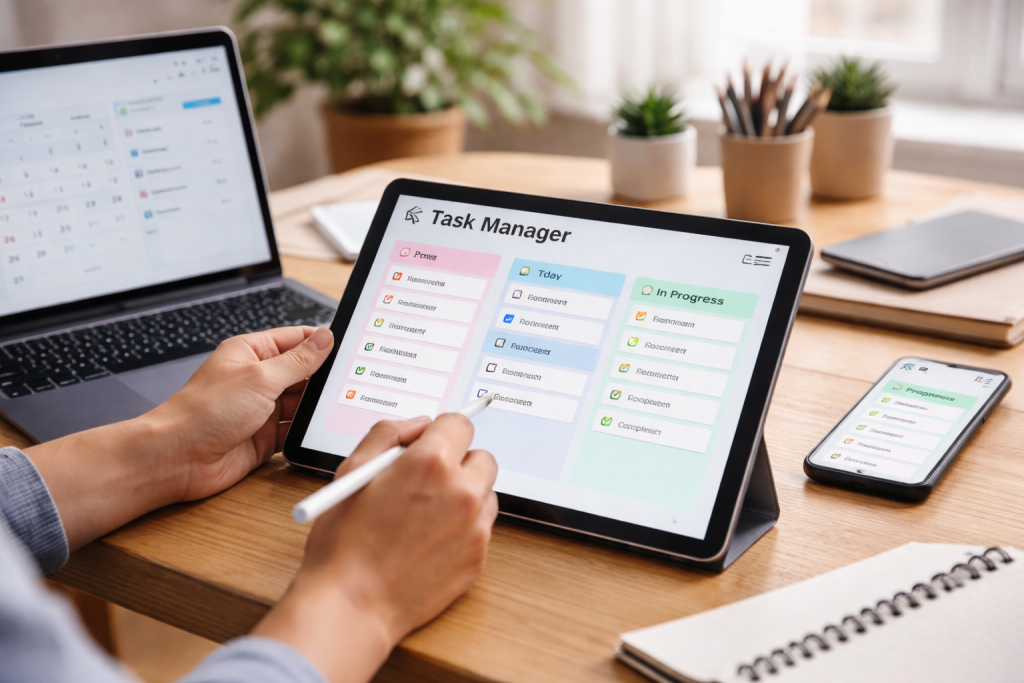
Moving beyond simple to-do lists, these applications provide sophisticated tools to structure, prioritize, and execute your work with unparalleled efficiency. Embracing the right task management system isn’t just about jotting down what needs to be done; it’s about fundamentally transforming how you approach your work, fostering clarity and focus, and ultimately, achieving your goals with greater ease and less friction.
Contents
- 1 Understanding the Importance of Task Management
- 2 Choosing the Right Task Management App for Your Needs
- 3 Organizing Your Tasks for Maximum Efficiency
- 4 Integrating Task Management Apps with Your Existing Workflow
- 5 Collaborating with Team Members Using Task Management Apps
- 6 Automating Repetitive Tasks with Task Management Apps
- 7 Setting Priorities and Deadlines with Task Management Apps
- 8 Tracking Progress and Performance with Task Management Apps
- 9 Managing Multiple Projects with Task Management Apps
- 10 Tips for Getting the Most Out of Your Task Management App
Understanding the Importance of Task Management
The foundation of any successful endeavor, whether personal or professional, lies in effective task management. Important items can easily slip through the cracks without a clear system for tracking and prioritizing tasks. These situations can lead to a cascade of negative consequences, starting with a decline in productivity and a rise in stress levels. When tasks are haphazardly managed, the mental energy required to simply remember what needs doing can be substantial, detracting from the actual work itself. Furthermore, a lack of organization often leads to missed deadlines, which can damage your reputation, alienate clients or colleagues, and even result in financial repercussions.
The benefits of robust task management extend far beyond mere orderliness. It builds a sense of ownership, empowering individuals and teams to navigate complex workloads with confidence. By breaking down large projects into smaller, manageable steps, task management systems make daunting objectives feel achievable. The granular approach facilitates efficient resource and time allocation, directing effort where it can have the most significant impact. Ultimately, effective task management is not just about getting things done; it’s about getting the right things done, on time, and to the best of your ability, thereby paving the path towards consistent success and personal growth.
The Cognitive Load of Unmanaged Tasks
The human brain has a finite capacity for information processing. When a multitude of tasks, appointments, and ideas are swirling around without a structured system, the mental energy devoted to simply remembering and recalling them becomes a significant drain. This “cognitive load” can cause a sense of overwhelm, hindering our ability to concentrate on the current task. We might find ourselves constantly switching between mental checklists or experiencing anxiety about forgetting something crucial. This inefficiency bleeds into our actual work, diminishing our concentration and increasing the likelihood of errors.
The Domino Effect of Missed Deadlines
A single missed deadline can have far-reaching consequences. In a professional setting, it can erode trust with clients or stakeholders, leading to lost business opportunities. Internally, it can disrupt team collaboration, forcing others to adjust their schedules and potentially causing them to miss their own deadlines. This ripple effect can create a backlog of work and a general sense of disarray within an organization. Furthermore, consistently missing deadlines can negatively impact an individual’s reputation and career progression, making it harder to secure new roles or advance within their current one.
Building Momentum and Achieving Goals
Effective task management provides the structure necessary to build and maintain momentum towards your goals. By clearly defining objectives, breaking them down into actionable steps, and tracking progress, you create a visible roadmap of your journey. This not only keeps you motivated by showcasing your achievements but also allows for course correction if you stray from your intended path. When you can clearly see what needs to be done and how far you’ve come, it becomes much easier to stay focused and driven, transforming aspirations into tangible realities.
Choosing the Right Task Management App for Your Needs
The marketplace is awash with task management applications, each boasting a unique set of features and functionalities. Navigating this diverse landscape requires a clear understanding of your specific requirements and preferences. What works for a solo entrepreneur might be entirely unsuitable for a large, cross-functional team. The key is to identify an app that aligns with your workflow, your team’s collaboration style, and the complexity of your projects. Rushing into a decision without due diligence can lead to frustration, wasted time, and the eventual abandonment of the tool, leaving you back at square one.
Assessing Your Personal or Team Workflow
Before even glancing at a list of apps, take a hard look at how you currently manage your work. Are you a visual thinker who thrives on Kanban boards, or do you prefer a straightforward list format? Does your work involve intricate dependencies between tasks, or is it largely independent? For teams, consider communication styles, reporting needs, and existing software integrations. Understanding these nuances will significantly narrow down your options and prevent you from adopting a tool that ultimately hinders rather than helps.
Feature Set vs. Simplicity
It’s tempting to be drawn to apps with a plethora of features, but more isn’t always better. An overabundance of complex functionalities can be overwhelming, especially for individual users or small teams who may not require that level of sophistication. Conversely, a tool that is too simplistic might lack the essential capabilities you need to manage your workload effectively. The sweet spot lies in finding an app that offers a robust feature set relevant to your needs without being excessively complicated to learn and use.
Budget and Scalability
Task management apps come in various price tiers, from free basic versions to premium subscriptions with advanced features. Consider your budget and whether you need a solution that can grow with your needs. Many apps offer tiered pricing, allowing you to start with a more affordable plan and upgrade as your team or project complexity increases. For businesses, the ability to scale the platform to accommodate a growing number of users and projects is a crucial consideration.
User Interface and User Experience
The most powerful task management app is useless if it’s difficult to navigate or aesthetically unappealing. A clean, intuitive user interface (UI) and a seamless user experience (UX) are paramount. You’ll be interacting with this tool daily, so it should be a pleasure, not a chore, to use. Look for apps that are easy to learn, visually organized, and offer customizable views to suit your preferences.
Organizing Your Tasks for Maximum Efficiency
Once you’ve chosen your task management app, the real work of organization begins. Simply dumping all your to-dos into the system without any structure is a recipe for continued chaos. Effective organization is about creating a system that allows you to quickly identify what needs your attention, understand its priority, and know what the next logical step is. This proactive approach transforms your app from a digital dumping ground into a powerful productivity engine.
Breaking Down Large Projects
The principle of “divide and conquer” is fundamental to efficient task management. Large, intimidating projects can be paralyzing. By breaking them down into smaller, more manageable sub-tasks, you make them less daunting and more actionable. Each sub-task should be specific, measurable, achievable, relevant, and time-bound (SMART). This granular approach allows for consistent progress and provides a clearer sense of accomplishment as you tick off each small victory.
Utilizing Tags and Labels for Categorization
Tags and labels are your digital equivalent of sticky notes and color-coding. They allow you to categorize tasks based on various criteria, such as project, client, urgency, or the type of work involved (e.g., “writing,” “design,” “meeting”). This enables you to quickly filter and sort your tasks, making it easier to identify all items related to a specific project or those requiring immediate attention. Effective tagging creates a comprehensive and easily searchable database of your work.
Creating Habitual “Review” Sessions
Regularly reviewing your task list is crucial for maintaining organization and preventing things from slipping through the cracks. Schedule dedicated time each day or week to go through your pending tasks, assess their status, and make any necessary adjustments. This review process ensures that your task list remains current, reflects your current priorities, and helps you identify any potential bottlenecks or roadblocks before they become major issues.
Integrating Task Management Apps with Your Existing Workflow
A task management app shouldn’t exist in a vacuum. For it to truly streamline your workflow, it needs to seamlessly integrate with the other tools and processes you already use. This interoperability ensures that information flows smoothly, minimizes manual data entry, and prevents the creation of digital silos. The goal is to create a cohesive ecosystem where your task manager acts as a central hub, connecting and orchestrating your various work activities.
Connecting with Communication Tools
Many task management apps offer integrations with popular communication platforms like Slack, Microsoft Teams, or email clients. This allows you to create tasks directly from messages, receive notifications about task updates in your communication channel, or even assign tasks to team members without leaving your chat. Such integrations significantly reduce the friction of task creation and keep everyone informed without constant context switching.
Synchronizing with Calendar Applications
Linking your task management app with your calendar (e.g., Google Calendar, Outlook Calendar) is essential for effective time management. This allows you to set deadlines that automatically appear in your calendar, block out time for specific tasks, and get reminders for upcoming due dates. This synchronized approach ensures that your tasks are not just listed but are actively scheduled and accounted for within your daily or weekly planning.
Leveraging Automation for Repetitive Actions
The true power of integration often lies in automation. Many task management apps can connect with other tools through services like Zapier or IFTTT, allowing you to automate repetitive actions. For example, you could set up an automation that automatically creates a new task in your project management app whenever a specific type of email is received or whenever a new file is added to a shared cloud storage folder. This frees up your time from mundane, repetitive tasks, allowing you to focus on more strategic work.
Collaborating with Team Members Using Task Management Apps
For teams, task management apps are not just organizational tools; they are powerful collaboration platforms. They provide a shared space where everyone can see who is responsible for what, understand task dependencies, and communicate progress or roadblocks. This transparency and shared visibility are crucial for fostering teamwork, accountability, and efficient project execution, especially in remote or distributed team environments.
Assigning Tasks and Responsibilities
The ability to clearly assign tasks to specific team members is a cornerstone of collaborative task management. This eliminates ambiguity about who is accountable for each piece of work. Most apps allow you to assign ownership, set due dates, and add detailed descriptions or attachments to tasks. This clarity ensures that everyone understands their role and contributes effectively to the team’s overall goals.
Facilitating Communication and Updates
Task management apps often provide built-in comment sections or discussion threads for each task. This allows team members to ask questions, share updates, provide feedback, and resolve issues directly within the context of the task itself. This keeps all relevant communication centralized and easily accessible, preventing important details from being lost in email chains or informal chats.
Tracking Team Progress and Bottlenecks
With a shared task management system, managers and team leads can gain a clear overview of the entire team’s workload and identify potential bottlenecks. By seeing which tasks are falling behind or which individuals are overloaded, they can proactively intervene, reallocate resources, or offer support. This real-time visibility is invaluable for ensuring that projects stay on track and that the team operates at optimal efficiency.
Automating Repetitive Tasks with Task Management Apps
One of the most significant benefits of a well-integrated task management system is its ability to automate repetitive tasks. Many manual processes can be streamlined or eliminated entirely with the right setup. This not only saves valuable time but also reduces the likelihood of human error and allows your team to focus on more strategic and creative work that truly adds value.
Setting Up Recurring Tasks
For tasks that need to be performed on a regular basis (e.g., weekly reports, daily backups, monthly invoice generation), most task management apps allow you to set them up as recurring tasks. You can define the frequency (daily, weekly, monthly, or yearly), and the app will automatically create new instances of these tasks for you, ensuring that they are never forgotten. This is a simple yet incredibly effective way to automate routine work.
Creating Task Templates for Common Workflows
If your team frequently undertakes similar projects or processes, creating task templates can be a game-changer. A template can pre-populate a project with a set of standard tasks, sub-tasks, assignees, and even deadlines. When you need to start a new, similar project, you simply duplicate the template, saving significant time and ensuring consistency in your processes. This is particularly useful for onboarding new clients, launching new products, or executing standard marketing campaigns.
Leveraging Automation Rules and Triggers
Advanced task management apps often offer automation rules or triggers. These allow you to set up “if this, then that” scenarios. For example, you could create a rule that automatically assigns a task to a specific person when a certain tag is added or changes the status of a task to “in progress” when a file is attached. These automations can significantly reduce manual intervention and streamline your workflow in subtle but impactful ways.
Setting Priorities and Deadlines with Task Management Apps
In the absence of clear priorities and deadlines, even the most well-intentioned efforts can become disorganized. Task management apps provide the tools to imbed structure and focus into your work by allowing you to explicitly define what’s most important and by when it needs to be done. This prevents tasks from becoming lost in a sea of less critical activities and ensures that your energy is directed towards what truly matters.
Utilizing Urgency and Importance Matrix
While not all apps have a built-in Eisenhower Matrix, you can easily implement this concept by using priority levels or tags. Sort tasks by urgency (how soon they must be done) and importance (how much they matter). This helps you distinguish between “urgent and important” (do now), “important but not urgent” (schedule), “urgent but not important” (delegate), and “neither urgent nor important” (eliminate).
Visualizing Deadlines with Calendar or Timeline Views
Most task management apps offer calendar or timeline views that visually represent your deadlines. This allows you to see your upcoming workload at a glance, identify potential conflicts, and plan your days and weeks effectively. Being able to see all your due dates laid out visually can be a powerful motivator and helps prevent last-minute rushes.
Establishing Clear Dependencies Between Tasks
For complex projects, understanding the dependencies between tasks is crucial. Some task management apps allow you to link tasks, indicating that one task must be completed before another can begin. This creates a logical flow, preventing team members from starting work prematurely and ensuring that the project progresses in the correct order. This is vital for keeping larger initiatives on track and avoiding delays.
Tracking Progress and Performance with Task Management Apps
Beyond simply managing individual tasks, your task management app can become a powerful tool for monitoring progress and evaluating performance, both for yourself and your team. This data-driven approach allows you to identify what’s working, what’s not, and where improvements can be made. Consistent tracking fosters accountability and provides valuable insights for future planning and optimization.
Monitoring Task Completion Rates
Most task management apps offer reporting features that can show you how many tasks are completed, overdue, or in progress. This provides a quantitative measure of productivity. For teams, this can help identify individuals or sub-teams who may be struggling or excelling, allowing for targeted support or recognition. It’s a simple yet effective way to gauge overall output.
Identifying Bottlenecks and Delays
By analyzing task statuses and completion times, you can often identify bottlenecks in your workflow. Are certain types of tasks consistently taking longer than expected? Are certain individuals or teams frequently facing delays? Task management apps can highlight these areas, allowing you to investigate the root causes and implement solutions to improve efficiency and prevent future delays.
Reviewing Productivity Trends Over Time
Many advanced task management apps allow you to track productivity trends over longer periods. This can help you understand your personal work habits, identify your most productive times, or assess the overall efficiency of your team. This historical data can inform future planning, resource allocation, and goal setting, leading to more effective and sustainable productivity.
Managing Multiple Projects with Task Management Apps
For individuals juggling multiple projects or for teams working on several initiatives concurrently, a robust task management app is not a luxury but a necessity. Without a system that can effectively compartmentalize and orchestrate these different workstreams, it’s easy for projects to bleed into one another, leading to confusion, missed deadlines, and a general sense of being spread too thin.
Creating Project-Specific Workspaces or Boards
Many task management apps allow you to create distinct workspaces, projects, or boards for each initiative. This helps keep all the tasks, files, and communications related to a particular project neatly organized and separate from others. This compartmentalization is essential for maintaining focus and clarity when dealing with multiple competing demands on your time and attention.
Utilizing Filters and Views to Focus on Specific Projects
Even within a single workspace, powerful filtering and viewing options allow you to isolate the tasks related to a specific project. You can often filter by project name, tags, assigned team members, or due dates. This ability to quickly switch your focus to a particular project without being distracted by unrelated tasks is crucial for maintaining deep work and ensuring that each project receives the attention it deserves.
Setting Project-Specific Priorities and Timelines
When managing multiple projects, it’s important to be able to set distinct priorities and timelines for each. A task management app should allow you to assign different levels of urgency to tasks across projects and to set individual project deadlines. This ensures that you are working on the most critical items across all your commitments, rather than solely focusing on the tasks that are most immediate within a single project.
Tips for Getting the Most Out of Your Task Management App
Simply adopting a task management app is only the first step. To truly harness its power and transform your workflow, you need to be intentional about how you use it. Consistency, customization, and a willingness to adapt are key to maximizing the benefits of your chosen tool. Treat your task manager as a living, evolving system that supports your productivity goals rather than a static checklist.
Be Consistent in Your Usage
The most important tip for getting the most out of any task management app is to use it consistently. Make it a habit to add tasks as soon as they arise, update their status regularly, and review your list on a daily basis. Sporadic usage will quickly render the app ineffective, leading back to the chaos you were trying to escape.
Customize It to Fit Your Style
Don’t be afraid to customize your task management app to suit your personal preferences and workflow. Experiment with different views (list, Kanban, calendar), create custom tags and labels, and adjust notification settings to find what works best for you. A tailored experience will make the app more intuitive and enjoyable to use, increasing your likelihood of consistent engagement.
Regular Review and Refinement
Your needs and projects will evolve, and so should your task management system. Schedule regular times to review your setup, identify any inefficiencies, and make adjustments as needed. Are there tags you no longer use? Are your recurring tasks still relevant? Continuously refining your approach will ensure that your task manager remains an effective tool for your current workload and future aspirations.
Don’t Overcomplicate It
While powerful features can be tempting, avoid overcomplicating your task management system unnecessarily. Start with the basics and gradually introduce more advanced functionalities as you become comfortable and as your needs demand. An overly complex system can be overwhelming and counterproductive. Focus on clarity and usability to ensure that the app supports your workflow rather than hindering it.

About the Author
Muqadas Ali is the founder of SmartLearningWay with over 5 years of experience in blogging and digital learning. His mission is to help students and professionals improve productivity using simple methods and modern tools.


