

In the whirlwind of modern life, where demands on our time and attention seem to multiply exponentially, maintaining order and efficiency can feel like an impossible feat. From professional obligations to personal errands, from health goals to social engagements, the sheer volume of information to process and tasks to remember can be overwhelming. The human brain, for all its remarkable capabilities, has its limits when it comes to consistently recalling every detail. This is where the unsung heroes of digital organization, reminder apps, step in.
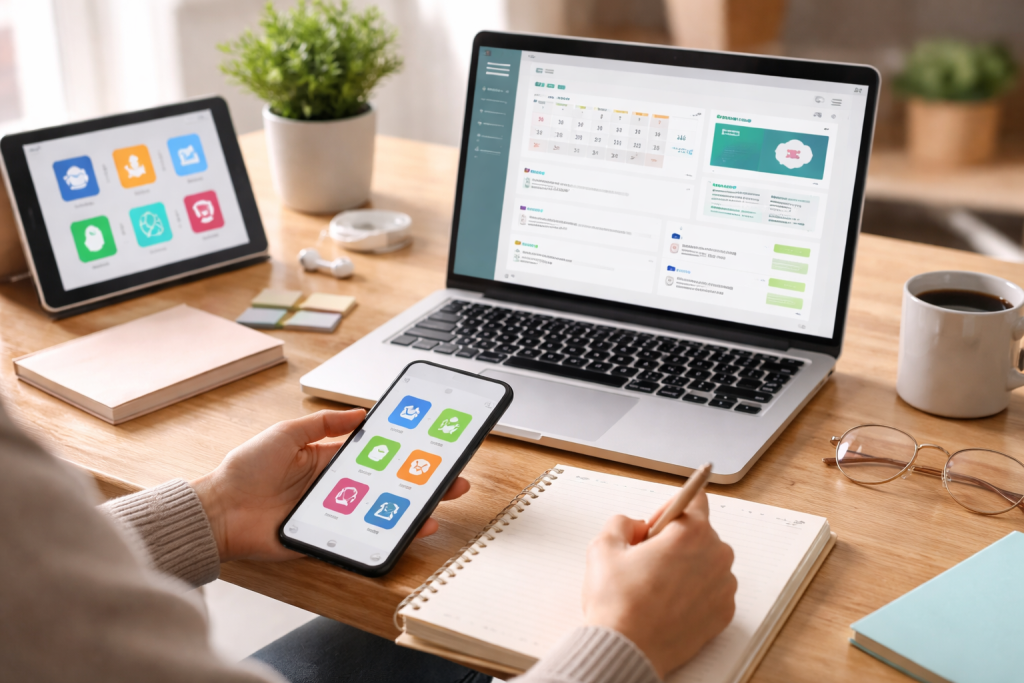
Far more than simple digital sticky notes, these powerful tools offer a dynamic and intelligent solution to help you regain control, reduce stress, and ultimately, streamline your life. They serve as a silent, omnipresent helper, guaranteeing that you never miss a deadline, forget an appointment, or overlook an opportunity. By offloading the mental burden of remembering mundane or critical tasks, these applications free up cognitive resources, allowing you to focus on more creative, strategic, and fulfilling endeavors. The promise of reminder apps isn’t just about preventing forgetfulness; it’s about optimizing your entire workflow and creating a more harmonious existence.
The fundamental concept behind a reminder app is deceptively simple: to prompt you at a specified time or location about something you need to do or remember. However, the sophistication and versatility of modern reminder apps extend far beyond this basic functionality. They are designed to act as your digital memory extension, capable of handling a vast array of information with precision and reliability. The beauty of these applications lies in their ability to centralize all your commitments, both large and small, into a single, accessible platform. This eliminates the need to juggle multiple notebooks, sticky notes, or disparate digital calendars, significantly reducing the mental overhead associated with managing your schedule.
Contents
- 1 The Evolution of Digital Reminders
- 2 Beyond Simple Alerts: The Power of Context
- 3 Apple Reminders: Seamless Integration for iOS Users
- 4 Google Keep: Versatility and Cross-Platform Access
- 5 Microsoft To Do: A Focus on Task Management
- 6 Todoist: The Power User’s Choice for Project Management
- 7 TickTick: All-in-One Task and Habit Tracking
- 8 Mastering Calendar Integration
- 9 Setting Recurring Reminders for Regular Tasks
- 10 Breaking Down Large Projects into Actionable Steps
- 11 Prioritization and Tagging for Enhanced Organization
- 12 Bill Payment Reminders: Avoiding Late Fees
- 13 Tracking Financial Goals and Savings
The Evolution of Digital Reminders
What started as basic calendar alerts has evolved into a sophisticated ecosystem of features. Early digital reminders were often clunky and limited to simple time-based notifications. Today, applications offer complex recurring options, location-based triggers, sub-task hierarchies, and rich media attachments. This evolution reflects a growing understanding of how individuals interact with information and the various contexts in which reminders are most effective. The ability to customize notifications, choose alert sounds, and integrate with other services further enhances their utility, moving them from simple tools to indispensable life managers.
Beyond Simple Alerts: The Power of Context
Modern reminder apps understand that context is key. A reminder to buy groceries is far more useful when it triggers as you approach the supermarket, rather than when you’re already home. Similarly, a reminder to call a client is most effective just before your workday begins or even as you’re driving to the office. This intelligent, context-aware prompting significantly increases the likelihood of completing tasks and reduces the effort required to remember them. The integration of GPS and other sensors allows these apps to become proactive rather than merely reactive, anticipating your needs based on your physical location and scheduled activities.
The market for reminder apps is robust and diverse, offering a solution for nearly every need and preference. While many share core functionalities, their interfaces, advanced features, and integration capabilities can vary significantly. Choosing the right app often comes down to personal workflow and the ecosystem you typically operate within.
Apple Reminders: Seamless Integration for iOS Users
For those immersed in the Apple ecosystem, the native Reminders app offers unparalleled integration. It syncs effortlessly across iPhones, iPads, Macs, and Apple Watches, providing a cohesive experience. Its strength lies in its simplicity and deep integration with Siri, allowing users to create reminders with voice commands. Features like smart lists, tags, and location-based reminders make it a powerful yet user-friendly option. While it may lack some of the advanced project management features of dedicated to-do apps, its seamlessness within Apple’s devices makes it an excellent choice for individuals.
Google Keep: Versatility and Cross-Platform Access
Google Keep stands out for its flexibility and cross-platform accessibility. Available on Android, iOS, and through any web browser, Keep offers a free-form canvas for notes, lists, and reminders. Its color-coded notes, tagging system, and ability to transcribe text from images make it incredibly versatile. Reminders can be set by time or location, and notes can be easily shared for collaborative purposes. Google Keep excels for those who appreciate a more visual and less rigid approach to organization, serving as a digital bulletin board for all aspects of their life.
Microsoft To Do: A Focus on Task Management
Evolving from the popular Wunderlist, Microsoft To Do provides a clean, intuitive interface specifically geared toward task management and reminders. It integrates seamlessly with other Microsoft services like Outlook, making it a strong contender for professionals. Features include “My Day” for daily planning, customizable lists, step-by-step sub-tasks, and file attachments. Its strong collaborative features also make it suitable for team projects. Microsoft To Do is ideal for users who prefer a structured approach to their tasks and appreciate a visually appealing, functional design.
Todoist: The Power User’s Choice for Project Management
Todoist is a premium reminder and task management app renowned for its powerful features and robust capabilities. Professionals and teams often favor it for its project management functionalities, natural language input, recurring tasks, priorities, and extensive integrations with other productivity tools. Although it provides a free tier, a paid subscription unlocks its true power. Todoist is perfect for individuals and teams who require a sophisticated system to manage complex projects, deeply nested tasks, and collaborate efficiently.
TickTick: All-in-One Task and Habit Tracking
TickTick offers a robust set of features that combine the best aspects of a to-do list, a reminder app, a calendar, and even a habit tracker. With a clean interface and powerful natural language processing, it makes adding tasks quick and easy. Its Pomo Timer, focus mode, and ability to convert emails into tasks make it a strong contender for those looking for an all-encompassing productivity tool. TickTick caters to users who want a holistic approach to managing their time, tasks, and personal development goals within a single application.
The cornerstone of an organized life is a well-managed schedule, and reminder apps are indispensable in this regard. They move beyond simply listing appointments; they actively help you adhere to them. By setting precise reminders for meetings, deadlines, and personal commitments, you minimize the risk of double-booking or missing important events.
Mastering Calendar Integration
Most advanced reminder apps offer direct integration with your digital calendars (Google Calendar, Outlook Calendar, Apple Calendar). This synergy allows for a unified view of your commitments. When you create an event in your calendar, you can often simultaneously generate a reminder within the app, ensuring you receive alerts not just for the event itself but also for any preparatory tasks or follow-ups associated with it. This bidirectional flow of information streamlines event management and reduces the chances of oversight.
Setting Recurring Reminders for Regular Tasks
Many aspects of our lives operate on a routine. Paying bills, exercising, taking medication, or attending weekly meetings are all examples of recurring tasks. Reminder apps excel at handling these. By setting a reminder to repeat daily, weekly, monthly, or annually, you eliminate the need to manually re-enter these items. This automation saves time and mental energy, ensuring consistency in your routines without constant conscious effort. The flexibility to customize recurrence patterns (e.g., “every other Wednesday,” “first day of the month”) further enhances their utility.
The traditional to-do list, often relegated to scribbled notes or mental lists, is notoriously unreliable. Reminder apps transform this chaotic process into an organized, actionable system. They provide a structured environment to capture, prioritize, and track all your tasks, from the most mundane to the most critical.
Breaking Down Large Projects into Actionable Steps
One of the most powerful features of reminder apps is their ability to handle complex projects. Rather than simply adding “Complete Project X” to a list, you can break it down into smaller, manageable sub-tasks. Each subtask can have its own due date and reminder, making large projects less intimidating and easier to approach. As you complete individual steps, this granular approach cultivates a sense of progress and guarantees the absence of any crucial project component.
Prioritization and Tagging for Enhanced Organization
Not all tasks are created equal. Reminder apps allow you to assign priority levels (e.g., high, medium, low) to your tasks, ensuring that you focus your energy on what truly matters. Additionally, tagging features enable you to categorize tasks by project, context, or theme (e.g., “work,” “personal,” “home,” “urgent”). This robust organizational structure allows you to quickly filter and view tasks relevant to your current focus, preventing overwhelm and promoting efficient task execution.
Financial management can be a source of significant stress, with bills, payments, and savings goals often slipping through the cracks. Reminder apps provide an invaluable tool for maintaining financial discipline and preventing costly oversights.
Bill Payment Reminders: Avoiding Late Fees
One of the most immediate benefits is setting up reminders for bill due dates. Whether it’s rent, utilities, credit card payments, or loan installments, a timely reminder can save you from late fees, interest charges, and potential damage to your credit score. Many apps allow for recurring reminders, so you only need to set them up once for regular bills. You can even include notes with account numbers or links to payment portals for quick access.
Tracking Financial Goals and Savings
Beyond just paying bills, reminder apps can also support your financial aspirations. Set reminders for reviewing your budget, transferring funds to savings accounts, checking investment performance, or contributing to retirement accounts. This consistent prompting ensures you stay on track with your long-term financial objectives, transforming passive goals into active habits. You can even set reminders to compare insurance rates or renegotiate subscriptions, ensuring you’re always getting the best value.

About the Author
Muqadas Ali is the founder of SmartLearningWay with over 5 years of experience in blogging and digital learning. His mission is to help students and professionals improve productivity using simple methods and modern tools.


